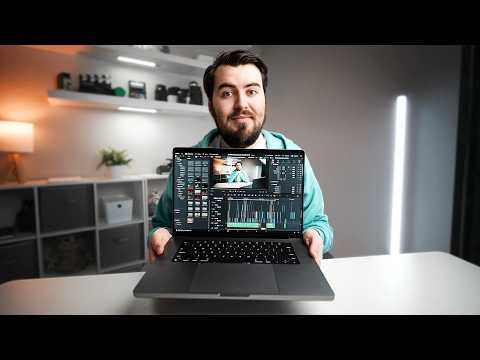
Learn to edit viral-ready Shorts and Reels in DaVinci Resolve with this step-by-step tutorial, covering everything from project setup to exporting perfect vertical videos. ✨ Check out Gling AI here and get one extra credit for video editing ➡️ ⭐️ Check out our FREE CLASS on 3 Secrets for Growing Your YouTube Channel in 2025 here!: This video is sponsored by Gling AI. Some product links are affiliate links which means if you buy something we'll receive a small commission. ============================= All Products and Gear Mentioned in this video ============================= 🔥 Check out these video editing tips and tutorials👇🏼 How to Edit a YouTube Video for Beginners! No Skills Needed! 12 Tips to Edit Like a Pro! (And SAVE TIME) How to Edit A YouTube Video in DaVinci Resolve! (Start to Finish) =========================== Connect with us! ============================= Tik Tok: ➡︎ @thinkmediaofficial/ IG: ➡︎ =========================== Subscribe and Listen to the Think Media Podcast HERE:📱 =========================== ➡︎YT: @ThinkMediaPodcast ➡︎Apple: ➡︎Spotify: ⏰ Timecodes ⏰ 0:00 How to Edit Shorts & Reels in DaVinci Resolve (Start to Finish) 0:17 Organizing Footage 0:51 Setting Up Your New Project 3:43 Editing Shorts & Reels 8:38 Placing B-Roll 13:15 Adding Text 15:59 Captions 17:40 Adding Music 19:52 Export Video =========================== Here are the ways to work with us here at Think Media: =========================== ⚡️FREE CLASS: Watch our FREE YouTube class here: ➡︎ ⚡️BOOK: Check out the #1 best-selling book YouTube Secrets here: ➡︎ ⚡️For Support inquires, or Business inquiries, please go to ➡︎ ⚡️Join our YouTube Course & Community TODAY with this special limited-time bundle at: =========================== Connect with Sean Cannell on Social Media: =========================== ➡︎ ➡︎ ➡︎ =========================== What We Use For Music: =========================== 🔥 Get a 7-day free trial for new personal and commercial plan here! ➡️ =========================== In-Depth Channel Analytics and Ideas =========================== Get a 30-Day trial of vidIQ's Boost plan for just $1 here: 👉 =========================== #thinkmedia #seancannell #youtubetips 🔥 Master DaVinci Resolve for Viral Shorts & Reels! 🔥 Learn how to edit engaging vertical videos step-by-step! This tutorial covers project setup, editing, captions, and exporting for YouTube Shorts, Instagram Reels, and TikTok. 9:16 Setup: Create a perfect vertical timeline (1080x1920). Fast Editing: Trim, reframe, and add B-roll quickly. Captions & Text: Make your videos accessible and eye-catching. Music & Effects: Enhance with sound and punchy edits. Export Settings: Get the best quality for mobile viewing. Stop struggling with vertical video! Learn to create viral content in DaVinci Resolve now. #DaVinciResolve #ShortsEditing #ReelsEditing #YouTubeShorts #VideoEditing #HowToEditShorts Our mission here at Think Media is to help purpose-driven entrepreneurs go full-time doing what they love and making an impact through the power of video. Disclaimer: Please see the link for our disclaimer policy for all of our videos on the Think Media and Think Media Podcast YouTube channels.
- 223841Просмотров
- 9 месяцев назадОпубликованоThink Media
How to Edit Shorts & Reels in DaVinci Resolve (Start to Finish)
Похожее видео



Популярное
Новини