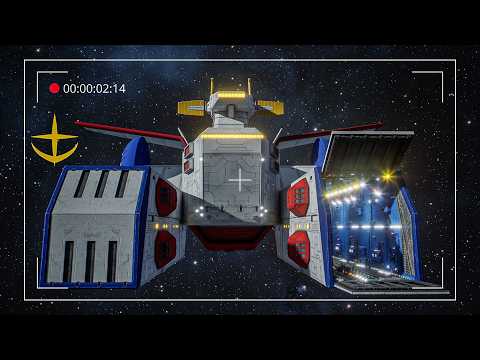
Welcome back to Somonul Art! In this tutorial, I’ll guide you through the entire process of baking animations in Maya and importing them into Unreal Engine. Using the Core Fighter from Project White Base, I'll break down the essential steps to ensure clean, optimized animation imports for game development and cinematic sequences. 🔹 What You'll Learn in This Video: ✅ Baking Keyframe Animations in Maya for a smooth Unreal workflow ✅ FBX Export Settings to ensure proper animation transfer ✅ Importing into Unreal Engine with the correct settings ✅ Troubleshooting Common Issues with animation imports 🚀 Why Watch This Tutorial? Game-ready workflow for integrating Maya animations into Unreal Step-by-step process perfect for both beginners and advanced users Tips & tricks to avoid errors and optimize animation playback 🔔 Subscribe to Somonul Art for more Maya & Unreal Engine tutorials on rigging, animation, and game asset creation! #Maya #UnrealEngine #GameAnimation #MayaToUnreal #FBXExport #3DAnimation #CGI #ProjectWhiteBase ╔════════════╗ ║▓▓▓▓ CONTENTS ▓▓▓▓║ ╚════════════╝ 00:00 Intro 00:16 What We Are Doing 00:36 Working In Maya 2:00 Baking the Animation in Maya 06:19 Importing the Animation in Unreal 08:39 Apply Animation to a Model in Unreal 10:03 Adjustments in Non-Zero Space 10:42 Final Thoughts
- 2772Просмотров
- 1 год назадОпубликованоSomonul Art
Baking Animations in Maya - Importing to Unreal Engine
Похожее видео





Популярное
Новини