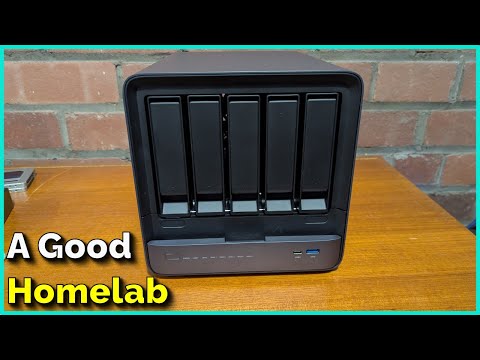
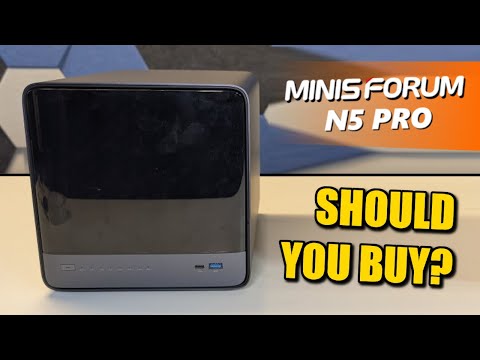
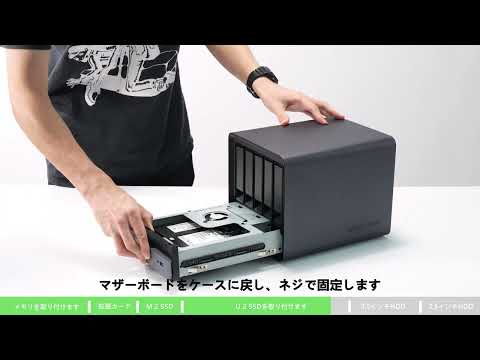
Jacob loves all this NAS and he may have found his most interesting NAS device yet. This is the Minisforum N5 Pro NAS Computer. This is an amazing machine with 5 HDD slots so you can load this up with an insane amount of storage. But it is not just a storage device, this is also a PC! Powered by an AMD Ryzen Ai H370 cpu, this is a great machine for NAS enthusiasts. Jacob take you through the mechanics of opening the drive bays, showing off the ports, and taking out the computer unit. (He also excitedly shows off the daughterboard.) Then he goes step by step to set up your unit with TrueNAS. This is an amazing new device for any networking enthusiast. What are your thoughts on this Minisforum N5 NAS? Let us know in the comments and check out the N5 in the links below and at a Micro Center location. 🔹See more of the Minisforum N5 Pro NAS - 🔹 Get the 12TB Western Digital Pros HHD - ______________________________________________________________________________________ Check out the Key Features for this N5 Pro: 🔹5 x 3.5"/2.5" Bays, 1 x M.2 2230/2280, 2 x U.2/M.2 2280/22110 Slots, Disks Not Included 🔹AMD Ryzen Ai HX 370 Twelve-Core Processor 🔹16GB DDR5 SO-DIMM Memory, 96GB Max 🔹1 x RJ45 , 1 x RJ45 5GbE, 1 x USB 2.0 Type-A, 2 x USB 3.2 (Gen 2 Type-A), 2 x USB4 Type-C Ports 🔹RAID 0, 1, 5, 6 🔹Up to 144TB Single Volume Capacity ______________________________________________________________________________________ Instagram: TikTok: @ Facebook: Twitter: _________________________________________________________________________________________ Any pricing mentioned or shown in this video is accurate at the time of the recording of the video and is subject to change at any time without notice. _________________________________________________________________________________________ #microcenter #nas #minisforum #networking #westerndigital #wd #pc #programming #howto #network #server #consumertech #consumerelectronics #minipc #minicomputer #truenas #daughterboard #iwantamicrocenternearme CHAPTERS 00:00 - Intro 00:07 - Opening Up The NAS & Adding Drives 00:44 - Back Ports 01:06 - Removing the Actual Computer 04:31 - A Daughterboard! 05:30 - Installing TrueNAS 10:59 - Creating a User in TrueNAS 12:23 - Server Content At Micro Center 12:32 - Outro
- 12674Просмотров
- 3 месяца назадОпубликованоMicro Center
How to Set Up A Minisforum N5 Pro NAS Computer with Micro Center
Похожее видео

Популярное
Новини