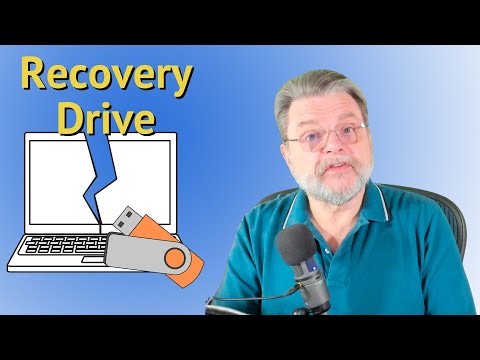
Learn how to create a Windows Recovery Drive made specifically for your computer! Having a Windows Recovery Drive is useful if your PC ever becomes unbootable and you can no longer reach the Windows Desktop screen. The Recover Drive give you tools and options that can help repair your computer or roll it's settings back to a time before the problems occurred. Creating the Recovery Drive will require you to have a 16GB+ flash drive and all contents of the drive will be ERASED, so make sure you have moved any important files off of the drive before following these instructions. I will also show you how to boot your computer to the USB drive and I'll give you a brief overview of the different repair options that are available in the Windows Recovery Environment. Feel free to fast forward to different parts in the video using the "bookmarks" at the boot of the screen as a guide. Don't miss the CHKDSK command I share at the end of the video which sometimes fixes problems that can keep Windows from booting. I hope this video helps people safeguard and repair their computers, should the need ever arise. Reach out to me in the comments section of this video if you have any questions. Cheers!! -- Jason :) ▬ Contents of this video ▬▬▬▬▬▬▬▬▬▬ 00:00 What is a Windows Recovery Drive? 00:20 Recovery Drive Requirements 00:35 How to create a Windows Recovery Drive 02:46 Ejecting the Recovery Drive 03:17 Booting to the Recovery Drive 04:43 Recovery Drive Options 04:53 Recover from a drive 05:34 The Continue option 05:44 Use a Device option 06:16 The Troubleshoot Menu 06:26 Startup Repair Option 06:44 UEFI Firmware Settings 06:56 System Restore Option 07:47 System Image Recovery 08:12 Uninstall Updates Option 08:33 Running CHKDSK /F 10:38 Closing & Thank You! Link to my favorite Lexar "Dual" USB flash drive on Amazon: I'm now shooting my videos in 4K, thank to the addition of a new Sony 4K camera to my studio. I hope everyone is enjoying my content and seeing it continue to improve over time. For this video I wanted to try out a sporty, scruffy look with a hat. What do you think?? :) Link to the Sony ZV-E10 II 4k 60fps camera I used to make this video: Songs used in this video: ----- Song: Balynt - Campfire Music provided by Vlog No Copyright Music. Video Link: Song: MBB - Feel Good (Vlog No Copyright Music) Music provided by Vlog No Copyright Music. Video Link: 60 Minute Green Screen Timer Video: --- Links to Amazon are typically monetized on this channel (affiliate links) and I may earn from qualifying purchases.
- 45820Просмотров
- 10 месяцев назадОпубликованоJason Bagnell
💻 How to create Windows Recovery Drive | Overview | CHKDSK command
Похожее видео






Популярное
Новини