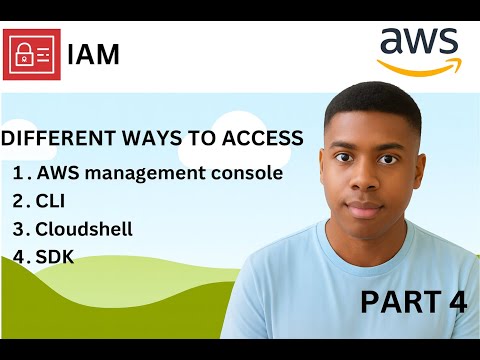
🔐 AWS IAM Part 3 — Different Ways to Access AWS Welcome back to the IAM series! 👋 In Part 3, we break down the 4 main ways to access AWS, and when to use each one: ✅ 1. AWS Management Console — GUI for beginners — Best for quick management, testing and demos ✅ 2. AWS CLI (Command Line Interface) — Automate tasks — Run commands from your terminal — Perfect for scripting and DevOps ✅ 3. AWS SDKs — Use AWS inside your applications — Works with languages like Python, , Java, Go, C# ✅ 4. AWS CloudShell — Browser-based shell — No installation — Comes preloaded with CLI tools This video helps you understand which access method is best depending on your role — Developer, DevOps Engineer, Cloud Architect, or Student. 💡 This IAM series is beginner-friendly and perfect for anyone learning AWS or preparing for AWS certifications. 📺 IAM Series Playlist: • Part 1 — Root User, Groups, Users • Part 2 — MFA & Inline Policies • Part 3 — Different Ways to Access AWS (This video) • More coming soon! More AWS content on the way: EC2, S3, VPC, Terraform, Docker, Linux, Kubernetes and more. Don’t forget to subscribe! 🚀 #AWS #IAM #AmazonWebServices #AWSCLI #CloudComputing #CloudEngineer #DevOps #LearnAWS #AWSTraining #AWSIAM
- 14Просмотров
- 6 дней назадОпубликованоIkaOnTech
AWS IAM Part 3 | Different Ways to Access AWS (Console, CLI, SDKs, CloudShell)
Похожее видео






Популярное
Новини