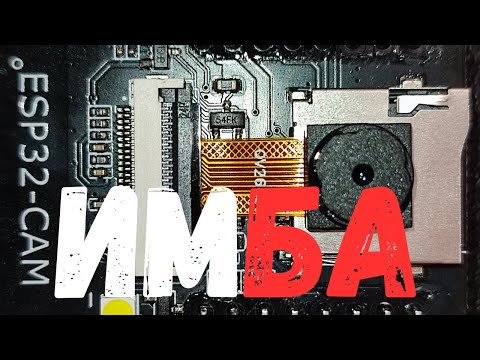
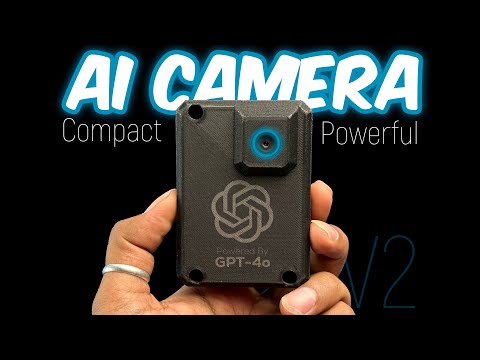
In this video, I take you through my complete journey of building an AI-powered camera using the ESP32-CAM, a TFT touch screen, and GPT-4o! This is an upgraded version of my previous AI Vision project, which used a smaller OLED screen. Now, with a better display, enhanced AI processing, and a smoother interface, this project takes AI vision to the next level! 🔥 What’s Inside? ✅ How I built the AI Camera step by step ✅ Hardware setup with ESP32-CAM & TFT screen ✅ Integrating GPT-4o for smart AI processing ✅ Improved user interface & touch controls ✅ Real-world applications & demo 💡 Whether you're a maker, developer, or AI enthusiast, this project will inspire you to build your own smart AI-powered devices! 🤩🤩 Get PCB at just $1 with free shipping from PCBGOGO - You can support me🙏🏻 and also get benefitted on Patreon :- __________________________________________________________ 👨🏻💻 Important Links 👨🏻💻 📌Project Purchase Link : 📌 Project Code & Resources: 📌 Previous Project Video: __________________________________________________________ Buy the components for your projects and support techiesms💡🔌 ESP32 Cam Board - TFT Touch Screen Display - and many more such components are available at __________________________________________________________ ⏱ Time Stamps ⏱ 00:00 Introduction 00:28 Scope of Improvements from previous project 00:56 Working on Forst Improvement : ViewFinder 03:14 Working on second improvement : Keyboard(LVGL) 03:57 Designed UI using LVGL & testing 04:31 Issues in Code 04:55 Designing PCB for the project 06:35 Issues faced after soldering 11:00 If you can solve it you win this project 12:35 Testing the project with different images 15:50 Ending notes __________________________________________________________ 🎥 🎙 My Video Gear 🎙🎥 Camera - Canon 750d Lens - 50mm f/1.8 STM Lens ( ), 24mm f/2.6 Key Light - Godox SL60W ( ) Fill Light/Back Light - Osaka Lightning Setup ( ) Tripod - Microphone - Zoom H1N( ) Editing - Final Cut Pro X on MacBook Pro ( ) __________________________________________________________ Get connected with techiesms everywhere.. Subscribe Main Channel :- Subscribe Shorts Channel :- Facebook :- Twitter :- Instagram :- Website :- Telegram - @techiesms __________________________________________________________ techiesms explore | learn | share
- 48899Просмотров
- 10 месяцев назадОпубликованоtechiesms
We Built AI Camera with ESP32Cam & GPT-4o 🤯🔥 | PCBGOGO
Похожее видео







Популярное
Новини