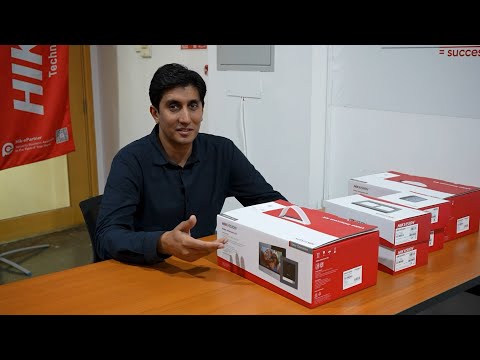
Join this channel to get access to perks: This guide provides a step-by-step approach to installing and configuring Hikvision’s modular intercom systems, ideal for residential complexes, offices, or multi-tenant buildings. The process includes hardware assembly, sub-module addressing, network integration, and remote management via iVMS-4200 software. ### Key Features & Steps: 1. *Modular Hardware Setup* - Use components like the *DS-KD8003-IME1 Video Intercom Module, **Indicator Module (DS-KD-IN), and **Keypad Module (DS-KD-KP)* for flexible configurations . - Install modules sequentially using flush or surface mounting brackets, ensuring cables are routed behind crossbars to avoid damage . 2. *Sub-Module Addressing* - Set unique *DIP switch addresses (1–8)* for each module (e.g., Address 1: ON/OFF/OFF/OFF for the first sub-module). Ensure switches 5–7 are OFF and switch 8 (120Ω resistor) is ON for all modules . 3. *Network & Software Integration* - Connect the main intercom module to a PoE source and add devices to *iVMS-4200* for remote configuration. Assign *room/floor numbers* and link indoor stations to enable call routing . - Configure *public/private unlock codes* and *duress alerts* via the software’s Permission Password settings . 4. *Access Control Customization* - Wire magnetic locks or gates to relay terminals (e.g., NO1/NC1). Test access using keypad codes (e.g., # + [password] + #) . 5. *Installation Best Practices* - Mount the camera at *1.4–1.6 meters* for optimal field of view (146° horizontal, 82° vertical) . - Use *DHCP or manual IP assignment* for indoor stations and ensure firmware is updated via iVMS-4200 . For advanced configurations like alarm integration or multi-station extensions, refer to Hikvision’s 9 Series Indoor Station manual . This system supports scalability up to 8 sub-modules and 512 indoor stations, making it adaptable for diverse security needs. --- Note: Always power off equipment during installation and verify compliance with local electrical standards (e.g., IEC 62368-1) . HINDI yah gaid hikvision ke modyoolar intarakom sistam ko sthaapit karane aur konfigar karane ke lie charan-dar-charan drshtikon pradaan karata hai, jo aavaaseey parisaron, kaaryaalayon ya bahu-kiraayedaar imaaraton ke lie aadarsh hai. is prakriya mein haardaveyar asembalee, sab-modyool edresing, netavark ekeekaran aur ivms-4200 softaveyar ke maadhyam se doorasth prabandhan shaamil hai. ### mukhy visheshataen aur charan: 1. *modyoolar haardaveyar setap* - lacheele konfigareshan ke lie *ds-kd8003-imai1 veediyo intarakom modyool, **indiketar modyool (ds-kd-in), aur **keepaid modyool (ds-kd-kp)* jaise ghatakon ka upayog karen. - phlash ya sarafes maunting braiket ka upayog karake kramik roop se modyool sthaapit karen, yah sunishchit karate hue ki kebal ko nukasaan se bachane ke lie krosabaar ke peechhe root kiya gaya hai. 2. *sab-modyool edresing* - pratyek modyool ke lie adviteey *deeaeepee svich edres (1-8)* set karen (udaaharan ke lie, pata 1: pahale sab-modyool ke lie chaaloo/band/band/band). sunishchit karen ki svich 5-7 band hain aur svich 8 (120o pratirodhak) sabhee modyool ke lie chaaloo hai. 3. *netavark aur sophtaveyar ekeekaran* - mukhy intarakom modyool ko poai srot se kanekt karen aur rimot konfigareshan ke lie *ivms-4200* mein divais joden. kol rooting ko saksham karane ke lie *kamare/manjil nambar* asain karen aur inador steshanon ko link karen. - softaveyar kee anumati paasavard seting ke maadhyam se *saarvajanik/nijee analok kod* aur *dyoores alart* konfigar karen. 4. *ekses kantrol kastamaizeshan* - rile tarminalon (udaaharan ke lie, no1/nch1) par chumbakeey lok ya get vaayar karen. keepaid kod (jaise, # + [paasavard] + #) ka upayog karake pareekshan pahunch. 5. *sthaapana sarvottam abhyaas* - ishtatam drshy kshetr (146° kshaitij, 82° oordhvaadhar) ke lie kaimare ko *1.4–1.6 meetar* par maunt karen. - inador steshanon ke lie *dhchp ya mainyual ip asainament* ka upayog karen aur sunishchit karen ki pharmaveyar ivms-4200 ke maadhyam se apadet kiya gaya hai. alaarm ekeekaran ya maltee-steshan eksatenshan jaise unnat konfigareshan ke lie, hikvision ke 9 seereez inador steshan mainual ko dekhen. yah sistam 8 sab-modyool aur 512 inador steshanon tak skelebilitee ka samarthan karata hai, jo ise vividh suraksha aavashyakataon ke lie anukool banaata hai. --- not: sthaapana ke dauraan hamesha upakaran band karen aur sthaaneey vidyut maanakon (jaise, iaich 62368-1) ke anupaalan ko satyaapit karen #cctv #networking #network #internet #access control #cctv camera #cable management #unbox #intercom #broadcast system #access point #electric door lock #wifi #HDMI #hard disk # internet switch management #time attendance # how to install
- 75399Просмотров
- 10 месяцев назадОпубликованоnature & future tech
Step By Step Guide Hikvision Intercom System Installation & Configuration#hikvision #dahua #intercom
Похожее видео






Популярное
Новини