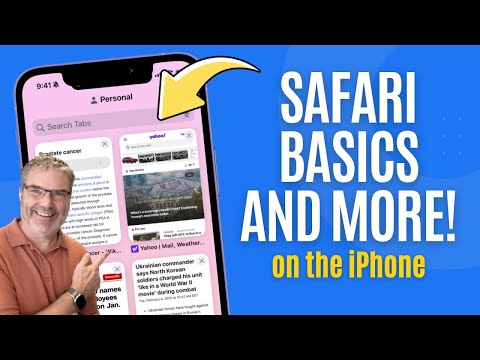
Get today’s free SmartGuide → step-by-step PDF with screenshots: Uncover the Best Safari Secrets: Get the Most Out of Your iPhone! Prevent Password Problems 👉 Safari is the iPhone's default browser, packed with features and tools that many users have yet to explore. Curious to learn more? You're in the right place! I'm Dylan Stewart, The MacWhisperer, and today we're taking a deep dive into using Safari on your iPhone. From understanding the address bar to leveraging tab groups, this video covers it all. Plus, stick around for my MacWhisperer Power Tip—it'll simplify getting to your favorite websites with just one click! Let's unlock the full potential of Safari together. 🚀✨ In this session, we'll explore practical tips for making the most of Safari's features, ensuring your browsing experience is efficient and enjoyable. Whether you're navigating the address bar, customizing your start page, or managing tabs like a pro, these strategies will help you streamline your internet usage. We'll also delve into tools for saving and organizing bookmarks, utilizing tab groups, and sharing content seamlessly. Let's jump in and transform how you use Safari! 🌟🔗 ❤️ Love the channel? Join as a recurring member for tips, tricks and exclusive content 🎬 ! 👇 Click Here to Join 👇 ───── ⋆⋅☆⋅⋆ ────────── ⋆⋅☆⋅⋆ ────────── ⋆⋅☆⋅⋆ ───── Key Takeaways: ♦️🔍 Understanding the Address Bar: Learn how to navigate websites, perform searches, and access hidden tools. ♦️🌐 Reader Mode: Enable Reader Mode for distraction-free reading ♦️🗂️ Managing Tabs: Master the art of opening, closing, and organizing tabs for clutter-free browsing. ♦️📁 Utilizing Tab Groups: Organize your tabs into groups for easy access and synchronization across devices. ♦️📑 Bookmarks, Reading List, and History: Explore how to save, organize, and revisit your favorite websites and articles. ♦️🔗 Share Button and Additional Tools: Unlock the full potential of the share button for sharing, bookmarking, and more. ♦️💡 MacWhisperer Power Tip - Adding Webpages to Your Homescreen: Create quick-access links to your most-visited sites right from your home screen. ───── ⋆⋅☆⋅⋆ ────────── ⋆⋅☆⋅⋆ ────────── ⋆⋅☆⋅⋆ ───── 🔗 Timestamps: [00:00] 📣 Introduction to Safari on iPhone [00:38] 🔍 Understanding the Address Bar [02:23] 🔄 Changing your Search Engine [03:18] 🌐 Reader Mode [04:24] 📖 Read Webpage Out Loud, Search Websites, Print Web Pages and More [05:28] 🗂️ Opening New Tabs and Customizing Your Start Page [08:22] 📁 Managing Tabs on the iPhone [10:56] 📂 Saving and Organizing Bookmarks and Tabs [11:44] 📑 Utilizing Tab Groups [14:11] 🗃️ Bookmarks, Reading List, and History [16:28] 🔗 The Share Button and Additional Tools [18:34] 💡 MacWhisperer Power Tip: Adding Webpages to Your Homescreen ───── ⋆⋅☆⋅⋆ ────────── ⋆⋅☆⋅⋆ ────────── ⋆⋅☆⋅⋆ ───── 📣 Join the Conversation! Did you learn something new today? Please leave your comments and questions below! If you found this video helpful, please give it a thumbs up. Also, don't forget to subscribe and hit the notification bell so you never miss out on new content! I'm Dylan Stewart, The MacWhisperer, and it's my passion and profession to help you get more done with your Apple products than you ever thought possible. See you next time! 🎬Watch My Recent Videos🎬 🔶Fix iMessage Sync Issues FAST 🔗 🔶iOS 18 Mail: Why Some Love Apple 🔗 🔶iPhone Music Magic: Navigate Apple 🔗 🔶The iMess: Apple’s Worst Naming 🔗 ───── ⋆⋅☆⋅⋆ ────────── ⋆⋅☆⋅⋆ ────────── ⋆⋅☆⋅⋆ ───── Connect with the MacWhisperer: 🔹LinkedIn: 🔹Instagram: 🔹Facebook: ───── ⋆⋅☆⋅⋆ ────────── ⋆⋅☆⋅⋆ ────────── ⋆⋅☆⋅⋆ ───── Join the MacWhisperer community now. Don't Forget To Subscribe & Press The Bell Icon to get the latest updates. 🔎Hashtags: #TheMacWhisperer #SafariSecrets #iPhonePhotography #WildlifeAdventure #TravelTips #NatureLovers #ExploreMore #PhotographyHacks #AdventureAwaits #TravelWithiPhone #SafariExperience ▂▃▄▅▆▇█▓▒░Thank You░▒▓█▇▆▅▄▃▂
- 161181Просмотров
- 1 год назадОпубликованоThe MacWhisperer
Uncover the Best Safari Secrets: Get the Most Out of Your iPhone!
Похожее видео










Популярное
Новини