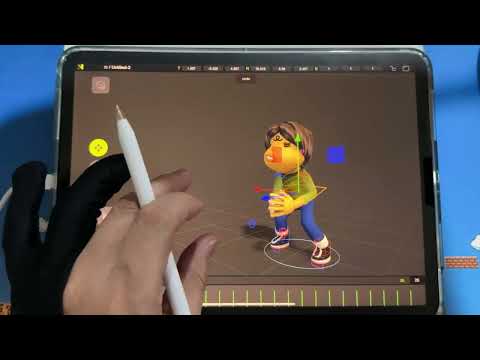
Let me show you how I sculpt with my macropad! 🌸🐤 🌸 00:00 Intro 00:08 Hotkeys layout (cute version) 00:25 What macropad I'm using 1:19 This keypad is not customisable 1:54 Where to find the bindings menu 2:02 Command key - 2:29 Extra multi-select function 2:38 'Quick' additional functions 3:04 How Auto Toggle Works 3:37 Smooth demo 3:47 Command key note 3:56 Option key - Viewport Translate, Snap & Zoom 4:21 Cam Translate & Snap demo 4:59 A problem with orthographic view... 5:25 Viewport navigation made easy with macropad! 5:58 Macropad chart explained 06:40 1st Row Keys 06:47 Visible: On/Off 07:02 Cam: Focus 07:17 Dynamic Topology: On/Off 07:33 Symmetry: On/Off 07:50 Mask Tool 08:04 Wireframe: On/Off 08:10 X-Ray: On/Off 08:16 Next Cam & using it for saving files 08:59 2nd Row - Save 09:14 Paint & Reference Image: On/Off 09:35 Brush Tool 10:02 Get a customisable macropad :( 10:09 Invert Mask 10:13 Planar Tool 10:32 Planar_Tex Tool (Custom) 10:45 SelMask Tool 10:57 My masking workflow 11:16 Clear All (Mask) 11:22 Add/Sub Toggle 11:35 Split & Trim Tools 11:57 3rd Row - Drag Tool 12:10 Grid On/Off 12:42 Crease Tool 13:05 Inflate Tool 13:23 Flatten Tool 13:31 Undo & Redo 13:50 Tool Radius 14:03 Post Process 14:13 Solo 14:32 Hide Tool 14:44 Clear All (Hide) 14:51 15:03 Bind , not Gizmo Tool 15:34 Reference Image Transform 15:53 Turntable 16:02 Lit(PBR) 16:21 My custom paint tools 16:27 Paint_tex Tool (Custom) 16:40 Paint_22 (Custom) 16:55 'Keep Sharp Edges' explained 17:46 how 'Keep Sharp Edges' looks on my sculpt 18:09 Bonus - Apple Pencil Pro bindings 18:15 Pick Material, Paint & Smudge Tools 18:32 My render paintovers! 🐤 Tools: - Nomad Sculpt & Procreate on iPad M4 - Aoiktye Macropad 2nd Gen - Pink - Elecom Screen Protector - Smooth Type - Elecom Pen Metal Nib
- 824Просмотров
- 4 месяца назадОпубликованоcornerbird__studio
How I Use My Macropad For Nomad Sculpt + My Favourite Sculpting Tools
Похожее видео





Популярное
Новини