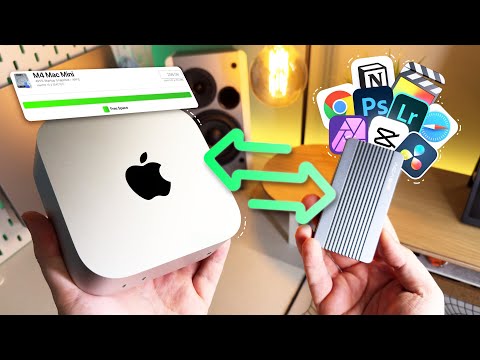
This video discusses the best method for using external SSD storage on your brand new M4 Mac mini. What method is best for using an external SSD on your M4 Mac in order to get the most out of the external storage and without damaging the computer. Also, should you start with an internal drive on your M4 Mac mini that is 256 GB or 512 GB? We cover 3 different methods that people use with external SSDS on Macs and we recommend our preferred method for using external storage. Timestamps in this video: 0:00 - Introduction - M4 mini External Storage 0:11 - Topics Covered In Video 1:03 - 256 or 512 GB on Internal SSD? 1:46 - Method 1 - M4 External Storage 3:43 - Method 2 - M4 External Storage 8:28 - Method 3 - Best Method IMO 16:32 - Final Thoughts M4 Mac mini 16 GB and 256 GB SSD - M4 Mac mini 16 GB and 512 GB SSD - M4 Mac mini 24 GB and 512 GB SSD - M4 Pro Mac mini with 24 GB and 512 GB SSD - Browse All M4 Macs - Qwiizlab Fanless 40Gbps USB4 Enclosure - Satechi M.2 UsB4 Enclosure - ZikeDrive USB4 40Gbps SSD Enclosure - Minisopuru 40Gbps M.2 NVMe SSD Enclosure - GRAUGEAR USB 4.0 M.2 NVMe SSD Enclosure - ACASIS 40Gbps M.2 NVMe SSD Enclosure - Gigamundo AJM40C 40Gbps NVMe Enclosure - WD SN770 2 TB M.2 SSD - Samsung 990 EVO PLUS SSD - WD SN850 2 TB M.2 SSD - Orico 07000 1 TB SSD - Crucial P310 1 TB SSD - Links For Moving Home Directory on Mac: Thank you for watching. Please note that if you use a link above to purchase a product it's possible that the channel could receive a commission. That commission will help us make more content on M4 Mac minis, tech, SSD enclosures, Mac accessories, and cool Apple products. Thank you again for your support. Please note that we do this testing for informative purposes only and you should do your own research before buying any product.
- 254013Просмотров
- 1 год назадОпубликованоCraig Neidel
How To Setup External SSD Storage on the M4 Mac mini - Also 256GB or 512GB on Internal Storage?
Похожее видео





Популярное
Новини