How to Install MongoDB 8 on Windows 11 | Step-by-Step Guide Learn how to install MongoDB 8 on Windows 11 with this comprehensive step-by-step guide! MongoDB is a powerful NoSQL database that supports scalable and high-performance applications. This tutorial walks you through downloading, installing, and configuring MongoDB on your Windows 11 system. --- ### Steps to Install MongoDB 8 on Windows 11 #### 1. **Download MongoDB 8** - Visit the official MongoDB website: [ ]( ). - Select the **Community Server** version. - Choose your operating system as **Windows**. - Click **Download** to get the installer. #### 2. **Run the Installer** - Locate the downloaded `.msi` file and double-click to start the installation. - In the setup wizard: - Choose **Complete Installation** for all components. - Select the option to install MongoDB as a **Windows Service** (recommended). - Specify a data directory (default is `C:\Program Files\MongoDB\Server\8.0\data`). #### 3. **Configure Environment Variables** - Add MongoDB’s `bin` directory to the system PATH: 1. Go to **System Properties** - **Advanced** - **Environment Variables**. 2. Edit the `Path` variable under **System Variables**. 3. Add the path to the `bin` directory (e.g., `C:\Program Files\MongoDB\Server\8.0\bin`). 4. Click **OK** to save changes. #### 4. **Verify Installation** - Open Command Prompt and type: ```cmd mongod --version ``` - The version details of MongoDB should appear, confirming the installation. #### 5. **Start the MongoDB Service** - By default, MongoDB is configured to run as a Windows Service. - To manually start the service, use: ```cmd net start MongoDB ``` #### 6. **Install MongoDB Tools** - Download and install **MongoDB Compass** for a GUI interface: [ ]( ). - Use **MongoDB Shell (mongosh)** for command-line interactions. --- ### Why Use MongoDB 8? - **High Performance**: Ideal for handling large volumes of unstructured data. - **Flexible Schema**: Great for modern application development. - **Robust Features**: Includes advanced analytics, transactions, and scalability. --- Start building scalable and efficient applications with MongoDB 8 today! If this guide was helpful, please like, share, and subscribe for more tutorials. #MongoDB8 #NoSQL #Windows11 #DatabaseSetup #ProgrammingTutorial
- 43477Просмотров
- 11 месяцев назадОпубликованоProgrammingKnowledge
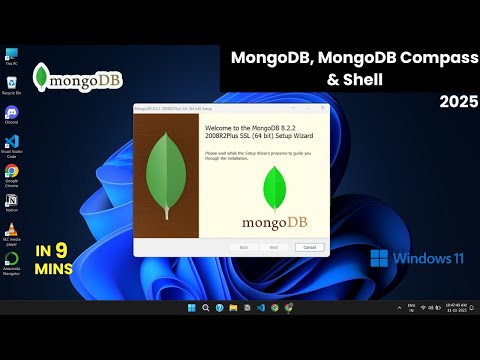
How to install MongoDB 8 on Windows 10/ Windows 11 (2025)
Похожее видео








Популярное
Новини