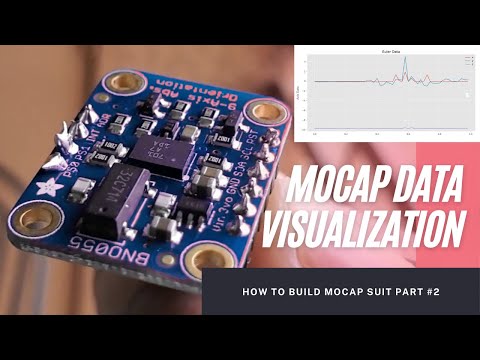
Mocap Suit Building Part 1 This is an honest try to make a motion capture suit or mocap suit for my RPG video game. In this video I have demonstrated the initial requirement and approach to design and goal of building mocap suit. I am using Adafruit BNO055 and Raspberry Pi Zero 2 W. This is part one of the series, where I just managed to extract the data from the sensor and printed in the console. Information and Links: How AAA games are using mocaps in their game development (Animation Secret) - What is the importance of Motion Capture - What is fundamental of game development - and Motion Capture and Animation Secret Research Paper - Adafruit BNO055 absolute orientation sensor - Bosch BNO055 sensor - MEMS - Raspberry Pi Zero 2 W - Raspberry Pi Zero 2 W review - More Detail on Raspberry Pi Zero 2 W - Raspberry Pi Setup - Raspbian OS Download file content: country=AU ctrl_interface=DIR=/var/run/wpa_supplicant GROUP=netdev update_config=1 network={ scan_ssid=1 ssid="WIFI_SSID" psk="WIFI_PASS" } Putty download link: Soldering guide: or Components Requires to build this part 1: Raspberry Pi Zero 2 W - 1. Price - A$ 25 BNO055 - 1. Price - A$ 50 Python – To extract the data from BNO sensors and transmit to computer wirelessly, I will use Python programming. Price: Free – Opensource Connectors / Jumper cables - 4 jumper cables. A$ 1 for a bunch of 20 jumper cables. Later I will buy in bulk and make the jumper cables as per size. Breadboard – Price: A$ 6, onetime MicroSD card – 32gb – Price: A$ 29 MicroSD card Reader – Price A$ 19, onetime Micro USB Power cable for Raspberry Pi – Price: A$ 10, I am using my android power cable today. Later I will make external battery power integration. Soldering kit – A$ 140, onetime Total Expenses: A$ 270 How I2C works: %C2%B2C How to enable I2C in Raspberry Pi: Adafruit Package download link: What is Accelerometer - Video Chapters: 00:00 Why mocap suit is used in making video games? And how expensive it is? 01:44 Understanding of motion in human body 02:32 Architecture of building the mocap suit 03:29 What are the different components required to build mocap suit 03:54 BNO055 Sensor role in motion capture suit 04:51 Raspberry Pi Zero 2 W role in motion capture suit 05:56 Components require to build motion capture suit 06:49 How to setup Raspberry Pi Zero 2 W after unbox, heedlessly 09:41 How to solder BNO055 09:55 How to solder Raspberry Pi 40 pins 10:13 How I2C works 13:07 How to configure I2C in Raspberry Pi 13:54 I2C cables color coding standards 14:05 Connect Raspberry Pi with BNO055 14:28 How to extract data from BNO055 from Raspberry Pi using Python 14:44 Python code for BNO055 15:46 Raspberry Pi and BNO055 using Python 17:08 How to calibrate BNO055 using Python source code Source Code (Python source code for BNO055): import time import board import adafruit_bno055 i2c = () sensor = (i2c) while True: print("Temperature: {} degrees C".format( )) """ print( "Temperature: {} degrees C".format(temperature()) ) # Uncomment if using a Raspberry Pi """ print("Accelerometer (m/s^2): {}".format( )) print("Magnetometer (microteslas): {}".format( )) print("Gyroscope (rad/sec): {}".format( )) print("Euler angle: {}".format( )) print("Quaternion: {}".format( )) print("Linear acceleration (m/s^2): {}".format( )) print("Gravity (m/s^2): {}".format( )) print() (1) Python Calibration source code for BNO055: print(current_time, " -- Calibration: {}".format( )) Please comment your opinion Thank you for watching To support me please visit:
- 11420Просмотров
- 3 года назадОпубликованоOtherYATC
Building motion capture / mocap suit using 9 Axis Inertial Measurement Units With Raspberry Pi Zero
Похожее видео







Популярное
Новини