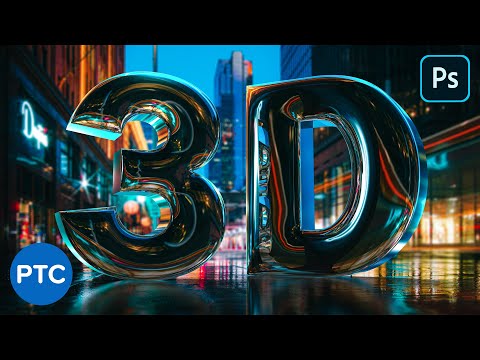
In this Photoshop tutorial, you will learn how to create chrome 3d text. This tutorial will use Photoshop's 3D features to achieve the chrome effect. Don't worry if you are new to Photoshop 3D. This is a step-by-step tutorial that anyone could follow along. 📘 INDEX - Realistic Chrome Text in Photoshop 3D 00:00 - Introduction 01:38 - Type The Text Layer 02:25 - Extrude the Text Layer 03:20 - Navigate a 3D Scene (Camera) 04:26 - What is the Ground Plane? 05:00 - Finding The Horizon Line 06:37 - Matching the Horizon Lines 07:15 - Moving, Rotating, and Scaling 3D Objects 09:26 - Save Camera View 10:00 - Apply a Shape Preset to the 3D Object 11:18 - Work on Materials to Apply The Chrome Effect Reflections 12:45 - Image Based Light (IBL) Description 16:44 - Working with The Infinite Light 18:11 - Break the 3D Mode Apart 20:34 - Match the Luminosity of The Scene 23:40 - Adjust The Composite with Camera Raw 26:07 - Blur The Background 27:29 - Final Adjustments and Fine-Tuning LINKS Facebook Photoshop Group: ► Adobe Dimension Free Course: ► 19 Photoshop Tricks You Don't Know: ► Blend Images Together in Photoshop: ► How To Blur Backgrounds in Photoshop ► PTC Newsletter: ► Premium Tutorials: ► Website: ► FOLLOW ME Instagram: ► Facebook Group: ► Twitter: ► LinkedIn: ► CREDITS ● Stock Images provided by ● Photoshop video tutorials by Jesus Ramirez #PhotoshopTutorial #Photoshop #PTCvids
- 367489Просмотров
- 7 лет назадОпубликованоPhotoshop Training Channel
Create a REALISTIC CHROME TEXT Effect in Photoshop 3D [Easy-To-Follow Tutorial]
Похожее видео






Популярное
Новини