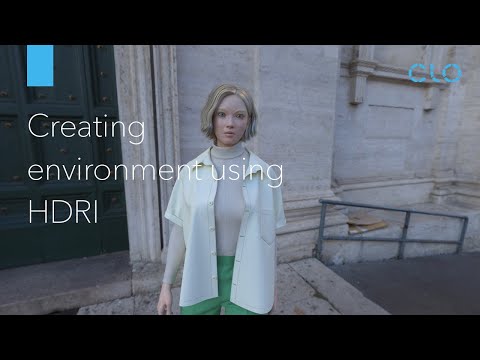
Check out my Patreon page and sign up for Patrons only online Q&A sessions: In this video you will learn how to utilize an HDRI background, bring it into CLO3D and use it as a background in the render window. You will see how to edit various properties like scale, field of view and light angles and edit the settings in camera properties and light properties. Venice Sunrise HDRI by Greg Zaal Time Codes: 00:00 Intro 00:21 Import HDRI file and change pose 01:09 Open Render window 01:21 Find and download HDRI image 02:26 bring HDRI to CLO3D 03:35 Show HDRI in render 03:49 Scale background 05:03 How to lock background 05:38 Physical Camera in render window 07:05 Light properties 07:55 Depth of Field 📩 Contat Email for business only: BobbinTalk@ My personal vlog: 🎥 Gear I use: 🖥🖱📸🎙 Logitech M525 Wireless Mouse with a USB receiver: Laptop cooling pad with 5 fans: MacBook Pro 16", 1TB storage: LaCie portable rugged Mini 2TB External Hard Drive: Professional Condenser Microphone Neewer NW-700 & NW-35 Suspension Boom Scissor Arm Stand with XLR Cable and Mounting Clamp & NW-3 Pop Filter & 48V Phantom Power Supply with Adapter Kit: Bose speakers: Gooseneck phone holder: 📒🎒👠 My Books: 🤓 If you are interested in Accessory Design check out my Accessory Design book via this link. It is widely used as an Accessory Design textbook in various fashion design colleges throughout the world such as Parsons School of design, FIT, MIT, etc.
- 20544Просмотров
- 4 года назадОпубликованоBobbinTalk
Create CLO3D Background Environment with HDRI
Похожее видео


Популярное
Новини