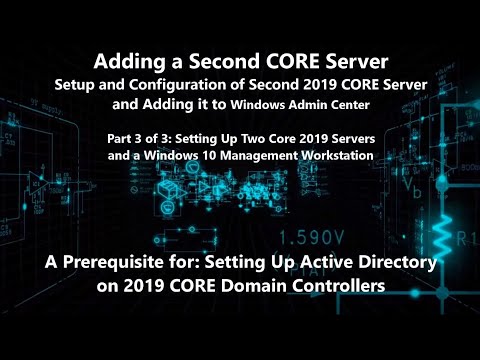
Setup and configuration of a 2019 CORE server. A. (00:05) Installing and Configuring 2019 CORE Server Itself ------------------------------------------------------------------------------------------------------------------ 1. (00:08) Installing 2019 Server Core 2. (00:59) Post-Installation First Sign-In 3. (01:41) Using command: sconfig 4. (01:58) sconfig: Configuring a Static IP On the Core Server 5. (04:10) sconfig: Change the Core Server's Host Name 6. (05:00) sconfig: Set Time and Zone for AD Replication 7. (05:17) sconfig: Enabling Remote Desktop (RDP) On the Core Server 8. (06:00) sconfig: Adding a Local Administrator Account "BackDoor" 9. (07:04) sconfig: Verifying settings after rebooting 10. (07:59) Launching PowerShell on the CORE Server 11. (08:09) Enabling PowerShell Remoting POSH: Enable-PSRemoting -SkipNetworkProfileCheck -Force 12. (08:43) Enabling ICMP "Ping": 3 Methods 1. sconfig 2. netsh firewall set icmpsetting 8 (deprecated) 3. (09:24) command: netsh advfirewall firewall add rule name = "ICMP Allow incoming V4 echo request" protocol=icmpv4:8,any dir=in action=allow 13. (11:00) Disable WinProxy Settings (If Necessary) command: netsh winhttp show proxy command: netsh winhttp reset proxy 14. (11:33) Set CORE Server for PowerShell Remote Management Rights POSH: WinRM quickconfig 15. (12:01) Optional Firewall Settings You Might Choose: command: Enable-NetFirewallRule -DisplayGroup "File and Printer Sharing" command: Enable-NetFirewallRule -DisplayGroup "Remote Event Log Management" command: Enable-NetFirewallRule -DisplayGroup "Remote Desktop" 16. (13:42) Enable Remote Management in Current Firewall Profile Settings command: netsh advfirewall set currentprofile settings remotemanagement enable 17. (14:19) Disabling the Firewall Entirely During the Setup Process (Optional) command: Set-NetFirewallProfile -Profile Domain,Public,Private -Enabled False 18. (15:20) Changing Passwords from the Command Console on a CORE Server command: net user administrator P@ssw0rd 19. (16:09) Updating CORE Server Using "sconfig" Setup and configuration of two 2019 CORE servers and a Windows 10 management client. Installation of Windows Admin Center and using it to manage CORE servers. Setting Up Active Directory and Domain Controllers On Server CORE - Installation of 2019 Core Server and Windows Admin Center - PowerShell Topics - The Playful PowerShell Playlist: Sincerely, The POSHY Bard ( )
- 8184Просмотров
- 5 лет назадОпубликованоOneByteAtATime
Installing and Configuring 2019 Core Server and Windows Admin Center Setup (1 of 3)
Похожее видео





Популярное
Новини