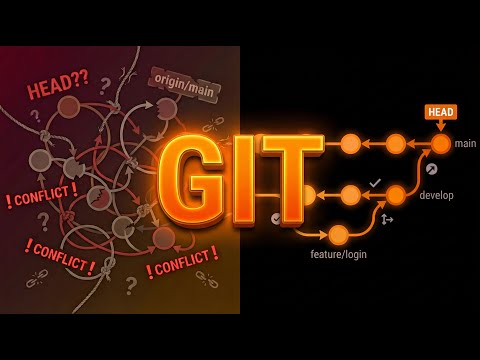
This Git Mastery Crash Course is designed to help you understand Git fundamentals and scale to Big Tech workflows. Git is the backbone of modern software collaboration — but how does it actually work under the hood? In this 15-minute crash course, we go from your first commit to advanced Git workflows used at Big Tech companies like Google, Meta, and Amazon. ✅ Learn the core Git zones: working directory, staging area, local & remote repos ✅ Understand git add vs git commit and how to craft clean commit histories ✅ Visualize the full Git flow: edit → stage → commit → push → pull ✅ Explore popular Git workflows: Feature Branching, GitFlow, GitHub Flow, GitLab Flow, Trunk-Based Dev ✅ Learn why Big Tech prefers trunk-based workflows for massive scale Whether you’re new to Git or leading a multi-team repo, this video breaks it all down with diagrams and real-world examples. 🕒 Timestamps 0:00 – Git Intro 0:40 – Git Zones: Working Directory, Staging, Local Repo 1:19 – Why Use Git Staging? (Selective Commits) 3:10 – Local vs Remote Repos (Push & Pull Workflow) 4:45 – Full Git Workflow Visualized 5:40 – Git Branching: Feature Branch Example 5:30 – Git Workflows Overview (Big Tech Strategies) 5:55 – Feature Branching Workflow Explained 7:28 – GitFlow: Release-Centric Workflow for Large Teams 8:55 – GitHub Flow: Simple CI-Friendly Approach 9:52 – GitLab Flow: Handling Staging & Prod Deployments 11:38 – Trunk-Based Development: What Google & Meta Use 13:45 – Workflow Summary & Choosing What Fits AWS Certification: AWS Certified Cloud Practioner: AWS Certified Solution Architect Associate: AWS Certified Solution Architect Professional: #Git #VersionControl #GitTutorial #GitFlow #TrunkBasedDevelopment #DevTools #BigTechEngineering #GitMastery
- 70375Просмотров
- 6 месяцев назадОпубликованоByteMonk
Git Mastery Crash Course | From First Commit to Big Tech Workflows
Похожее видео









Популярное
Новини