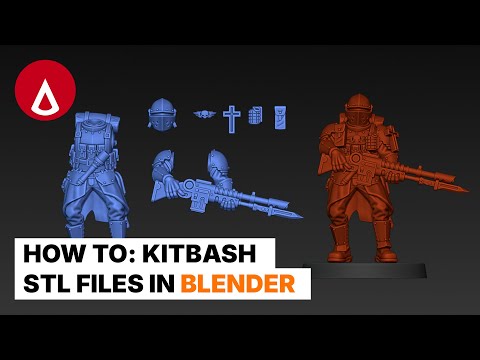
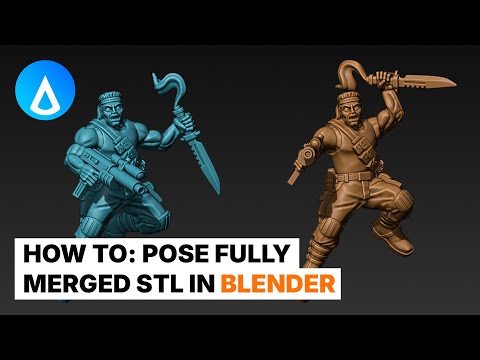
Apologies for the clipping audio in the intro, I've tried to reduce it to a tolerable level! Link to 3d builder: Link to blender: Things I forgot to mention: - Press R twice to enable free rotation mode - In Edit mode, press 1 for Vertex Select mode, press 2 for Edge Select mode, press 3 for Plane Select Mode Chapters: 0:00 BADLY RECORDED INTRODUCTION SKIP THIS 0:51 Enable Bool-Tool Addon 1:11 Switch Viewport Shading 1:30 Enable Cavity Option for Edge Highlighting 2:05 Enable Show Overlays for Grid Viewing 2:29 Set Origin to Geometry for Easy Object Movement 3:00 Align Object to X and Y Axis 3:35 Rotate / Move slowly by holding Shift 4:17 Moving 3D Cursor 4:43 Create Mesh (Cube) 4:50 Scale / Edit Cube to overlap with unwanted geometry 5:35 Separate Object with Cube Boolean 5:58 Fix Boolean Error by switching to Fast Boolean 6:39 Apply Boolean Cut / Visual Geometry to Mesh 6:55 Separate Boolean Object into Loose Parts 7:54 Switch from Wireframe to Solid Object 8:12 Walking through process of separating hand from gun barrel 9:05 Create & Rotate Mesh (Cylinder) 9:45 Edit Boolean Cutter to get complex shape 11:22 Fix Dirty Geometry after boolean 12:13 Walking through process of separating stock from arm 13:14 Drawing plane with vertexes for complex geometry 13:48 Extruding vert to create cutter shape in edit mode 14:17 Extruding slice of vertexes to extend cutter shape 14:51 Creating Loop Cut to create more accurate cutter shape 15:42 Extruding from plane to get Solid Boolean Cutter 16:04 Moving individual vertexes to get the shape we want 16:57 Seperating Arm into Loose Parts for Sculpting 18:57 Cleaning up Mesh by Sculpting 19:32 Remeshing Mesh for Sculpting 19:51 Using Smooth Brush to Sculpt 20:34 Using Scrape Brush to Sculpt 20:56 Using Crease Brush to Sculpt 21:30 Decimating Sculpted Mesh for lower polygon count 22:44 Joining seperated mesh back together 23:29 Changing Viewport to show intersecting meshes 25:00 Parenting Objects to group objects together for easy movement with Ctrl+P 25:27 Move Origin to 3D Cursor for accurate rotation / object pivoting 26:29 Moving STL meshes into pose that we want 26:42 Mirror Object / Flip Object 27:30 Focus on single object with "/"-key 28:35 Unparent Object so it no longer follows Parent with Alt+P 30:38 Using Sculpt Mode with Elastic Deform Brush to morph Mesh into the shape your liking 32:00 Using Sculpt Mode again with Elastic Deform Brush 33:05 Merging Objects into single object and check face orientation 33:25 Fixing Wrong Face Orientation 33:55 Export Object as STL 33:12 Letting 3D Builder repair STL to double check for manifold mesh 35:00 RESULT & OUTRO How to separate difficult geometry STL-file in Blender for 3D printing, posing objects in Blender, making mesh manifold, repairing mesh ----------------------------------------------------------------------------------- 🔴 Watch Me Live 🔴 EVERY DAY from Monday to Friday @8PM CEST on Youtube and Twitch @proxybrewer ----------------------------------------------------------------------------------- 💲 Support Me With Your Money 💲 🛒 Shop: 💰 Patreon: 💸 MyMiniFactory: ----------------------------------------------------------------------------------- 🗣️💯 Get In Contact 🗣️💯 📩 Discord: 📸 Instagram: 🎥 Tiktok: @proxybrewer ----------------------------------------------------------------------------------- Thanks for watching! Here's some useful resources: Blender Tutorial - How To: Easily Kitbash STL files for 3D Printing Blender Tutorial - How To: Pose Fully Merged STL for 3D Printing Blender Tutorial - How To: Create a Cloak for 3D Printing Blender Tutorial - How To: Flag with Custom Icon for 3D Printing Blender Tutorial - How To: Conform Custom Emblem onto any STL in Blender for 3D Printing - NO ADDONS TAGS: 3D sculpting Blender, 3D printing sculpting tutorial, Grimdark sci-fi modeling, ProxyBrewer Blender tutorial, Blender 3D printing workflow, Hard surface sculpting Blender, Sci-fi miniature sculpting, Grimdark 3D modeling, Blender for tabletop miniatures, 3D printable sculpt tutorial, Blender sculpting tips, 3D printing miniatures tutorial, 40k modeling Blender, Dark sci-fi art Blender, Digital sculpting for 3D printing, Blender 3D printing supports, Stylized grimdark sculpting, Proxy miniatures 3D modeling, Blender hard surface techniques
- 7282Просмотров
- 2 года назадОпубликованоProxyBrewer
Blender Tutorial - How To: Separate complex STL mesh in Blender for 3D Printing
Похожее видео





Популярное
Новини