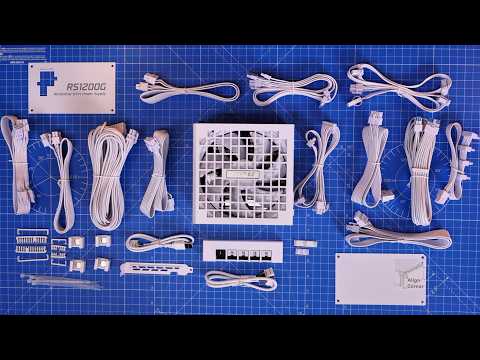
Prawn here with a detailed build guide in which I'm showing you how to setup and install your PC inside the Corsair AIR 5400 case. Here I'm showing you how to install everything from the fans to the motherboard, PSU, cooler and more. All the specs of the build will be listed below so you can see what's used, but hopefully with all these steps you'll be able to build a great PC inside this case. I'm also showing you how to use 6 fans on your all-in-one cooler here to maximise CPU cooling without negatively impacting the rest of the build. Related videos: Lian Li RS (rotational shift) PSU wiring How to connect Corsair ARGB PWM fans to your motherboard or a Commander Duo controller Corsair Commander Duo - Everything you need to know Corsair Nautilus 360 RS ARGB setup and wiring guide Disclosure: Shopping links within the description of this video generate a commission at no extra cost to you. These are added for your convenience but other retailers are available. As an Amazon Associate I earn from qualifying purchases. Please note that products featured may also have been sent for free for review/testing purposes. Often these have to be returned by me, but not always. I endeavour to avoid bias in my videos wherever possible and try to give honest, subjective opinions. Unless otherwise stated, the videos are not sponsored financially. Please note links listed here include affiliate links which may earn me a commission. Corsair AIR 5400 deals: Corsair - Amazon US - NewEgg - Amazon UK - Amazon FR - Amazon IT - Amazon DE - Amazon CA - Amazon AU - Best Buy - Overclockers - Caseking - Scan - Corsair Nautilus 360 LCD deals Corsair - Amazon US - NewEgg - Amazon UK - Amazon FR - Amazon IT - Amazon DE - Amazon CA - Amazon AU - Best Buy - Overclockers - Specs of this build (note these include affiliate links which may earn me a commission at no extra cost to you): Case - Corsair Air 5400 Motherboard - Gigabyte X870 Aorus Elite WiFi 7 Ice CPU - AMD RYZEN 7 9800X3D RAM - CORSAIR VENGEANCE RGB DDR5 RAM 32GB (2x16GB) 6000MHz AIO - Corsair Nautilus 360 RS LCD NVMe - Crucial P310 SSD - Crucial BX500 GPU - Palit GeForce RTX™ 5070 White OC Fans - 9 x RS120 ARGB PSU - Lian Li RS1200G Timestamps: 00:00 Hello 00:26 Initial breakdown 05:40 Motherboard and AIO prep 06:55 CPU installation 07:21 AIO pump bracket 08:00 RAM install 09:05 NVMe SSD install 09:46 Motherboard install 10:41 Front case cables 11:16 Bottom fan wiring 12:15 HD audio and F panel connectors 13:18 USB connectors 14:57 PSU wiring logic 23:33 PSU installation 24:04 24 pin power cable 25:25 8-pin CPU power cables 26:47 SSD and HDD install 29:08 Top fan install 29:55 RS fan wiring 33:56 AIO fan install 35:18 Radiator installation 39:35 Pump install 45:54 GPU install 46:40 Anti sag bracket 48:55 Glass door panel problem 51:13 RGB fan control 52:59 LCD screen customisation 54:19 Thanks 😍Special Thanks😍 to my YouTube members: SpaceCannons, mikeinvegas1, Spandau Guy, D Shaddix, CTRLGeek, Frank “Cano” Costilla, BY TOR THE SNOW DOG, Rawrr483, Alexander Heim, Ritsaert Verstegen, James Kahn, N J, GamingAllDay, Christian, UBrickIFix, Wayne Chandler, Jeffrey crutchfield, NOTuNOTme, Tom Corrao, DaniAkiZoli, rodney mcqueen, Fred Wehbe, Paul Sheard, shaak, WireHedd, Flan Roberts, Matt Behymer, John Turley, Random Chaos, Matthew Howell, kapitan, Arik Nachmias, The 1 and Only Twix, Brian Pickel, Megan Schafer, Bosco, Dr John Urquhart, cnsrapp, Peter Qvist, Jay Shank 007, PBear, Meldogss, jfk3236, DidYouReadEULA, BrofNeeko, samuel_Tx And you?
- 1777Просмотров
- 1 день назадОпубликованоThe Provoked Prawn
Corsair AIR 5400 step-by-step build guide with push pull AIO (12 fan PC build)
Похожее видео







Популярное
Новини