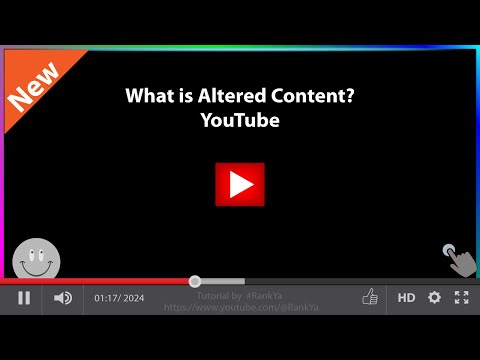
YouTube now requires you to disclose altered or synthetic content for each video. Which option should you select — Yes or No? Failure to select the correct option could affect your video’s visibility! Let’s walk through the key steps and updates on YouTube's altered content policies, and how to disclose synthetic or altered content correctly. *🕰️ TIMESTAMPS: 🕒* 00:00 - Intro to Altered Content 00:34 - Locating the Option 01:35 - Choosing the Right Option 02:14 - Understanding its Importance 02:46 - Conclusion and Final Verdict *📌 Key Facts:* ✨ Select *"YES"* if your video uses: AI voices, deepfakes, filters or any altered reality ✨ Select *"NO"* for 100% real content like vlogs or unedited footage ✨ Find it in: YouTube Studio → Your Videos → "Disclose Altered Content" → *"YES"* or *"NO"* *⚠️ Why This Matters:* 🔍 YouTube may DEMOTE undisclosed AI content in search 📜 Mandatory under 2024 policies ⚖️ Affects your fair ranking against other creators *💡 Pro Tip:* Check older videos! Even AI-generated thumbnails, voiceovers, or background music need disclosure. Stay compliant, protect your channel, and ensure your content continues to reach your audience. 👍 *Enjoyed the video? Don’t forget to:* ✅ Subscribe for more travel tips and guides! 👉 @escapeontime?sub_confirmation=1 🔔 Hit the bell icon to get notified about our latest videos. 💬 What did you think of this video? Let us know in the comments—we’d love to hear from you! 😊❤️ Thank you for watching! Now, 📌 Stay Connected with Us: 🌐 *Stay Connected:* ✈️ Travel Globally: 📘 Facebook: 🎵 TikTok: @escapeontime 📷 Instagram: 🌍 *Connect Globally:* 🔗 Stay connected with loved ones worldwide: ☕ Fuel More Adventures: 📩 For collaborations & business inquiries: info@ #YouTubeUpdates #AlteredOrSyntheticContent #AlteredContent #YouTubeTips #YouTubePolicyUpdate #YouTubePolicy #YouTubeSEO #EscapeOnTime
- 4207Просмотров
- 1 год назадОпубликованоEscapeOnTime
How to Disclose Altered or Synthetic Content on YouTube?
Похожее видео





Популярное
Новини