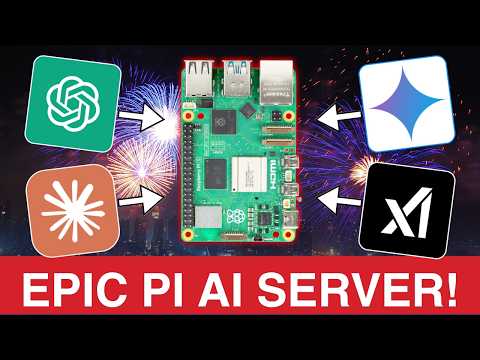
About Video: Learn to run AI large language models on a Raspberry Pi, specifically Phi 3.5 using Ollama. Then learn how to use the Ollama API to talk to Phi 3.5 and generate txt files using Python. For Businesses Seeking AI Technical Support, check out: For Healthy Local Food Join:  Step By Step Instructions: Make sure to Subscribe and turn on Notifications! Amazon Affiliate Links To Support This Channel: Raspberry Pi 5 (8GB): MicroSD Card (64GB): USB-C Power Supply: Welcome to an epic AI project! In this tutorial, I’ll guide you through running Ollama on a Raspberry Pi to harness large language models locally—no API fees, no limits! Perfect for generating blog posts, brainstorming, or experimenting with AI on a budget. Whether you’re a beginner or a tech enthusiast, this step-by-step guide will have your Pi creating content in no time. Let’s dive in! Follow me on: X: Instagram: YouTube Channel: @jakemgrim Pinterest: LinkedIn: TikTok: @jakemgrim Facebook: Timestamps: 00:00 - Introduction: Discover how to run AI models on a Raspberry Pi and save on API costs. 01:10 - Backstory: My journey to free AI content creation with Ollama. 00:50 - Prerequisites: Gather your Raspberry Pi 5, microSD card, and peripherals. 02:40 - Step 1: Set Up the Raspberry Pi: Assemble hardware and boot the Pi. 03:50 - Step 2: Install Raspberry Pi OS: Use the Pi Imager to flash the OS. 06:14 - Step 3: Install Ollama: Add the AI framework to your Pi. 06:27 - Step 4: Add Phi3.5 Model: Download Microsoft’s lightweight LLM. 07:13 - Step 5: Test the Model: Ask Phi3.5 a question via the terminal. 07:45 - Step 6: Python Integration: Write code to interact with Ollama’s API. 08:40 - Step 7: Generate Blog Posts: Automate content creation for historic presidents. 09:59 - Closing: Recap, tips for scaling, and ideas for your own AI projects. Unleash your creativity with this Raspberry Pi AI project! From blog posts to custom content, your Pi can do it all—without breaking the bank. Like, share, and subscribe for more tech tutorials to fuel your maker spirit. Let’s build something awesome together! SEO Keywords: How to run AI on Raspberry Pi with Ollama and Phi 3.5 Install Ollama on Raspberry Pi 5 for Phi 3.5 Set up Phi 3.5 on Raspberry Pi with Ollama Raspberry Pi AI tutorial Ollama Phi 3.5 Running large language models on Raspberry Pi 5 Ollama Phi 3.5 Raspberry Pi installation guide How to get started with AI on Raspberry Pi Raspberry Pi 5 Ollama setup for AI Step-by-step guide to run Phi 3.5 on Raspberry Pi Configure Ollama on Raspberry Pi for Phi 3.5 Best Raspberry Pi model for running Phi 3.5 with Ollama Raspberry Pi 5 8GB RAM for AI models Can Raspberry Pi 4 run Phi 3.5 with Ollama? Hardware requirements for Ollama on Raspberry Pi Raspberry Pi AI kit with Ollama and Phi 3.5 Does Phi 3.5 work on Raspberry Pi Zero? Raspberry Pi 5 vs Pi 4 for AI with Ollama Memory requirements for Phi 3.5 on Raspberry Pi Run AI on Raspberry Pi with limited RAM Compatibility of Ollama with Raspberry Pi OS How to run Phi 3.5 mini on Raspberry Pi Phi 3.5 on Raspberry Pi with Ollama Ollama Phi 3.5 mini instruct on Raspberry Pi Download Phi 3.5 for Raspberry Pi Ollama Run quantized Phi 3.5 on Raspberry Pi Phi 3.5 vs TinyLlama on Raspberry Pi Ollama models for Raspberry Pi 5 How to use Phi 3.5 GGUF with Ollama on Raspberry Pi Phi 3.5 performance on Raspberry Pi 5 Small language models for Raspberry Pi with Ollama Install Ollama on Raspberry Pi OS Bookworm Raspberry Pi 64-bit OS for Ollama and Phi 3.5 How to update Raspberry Pi OS for AI models Install Docker on Raspberry Pi for Ollama Run Ollama without Docker on Raspberry Pi Set up Python for Ollama on Raspberry Pi Raspberry Pi terminal commands for Ollama Install curl on Raspberry Pi for Ollama Configure systemd for Ollama on Raspberry Pi Raspberry Pi software for running AI models Run AI on Raspberry Pi Ollama Raspberry Pi tutorial Local large language model guide AI content creation on a budget Raspberry Pi AI projects Phi3.5 model setup Automate blog posts with AI Raspberry Pi 5 AI tutorial Ollama AI installation guide Free AI content generation Python AI scripting Raspberry Pi Local LLM for blog posts Raspberry Pi AI automation Ollama Phi3.5 tutorial AI without API fees Raspberry Pi content creation Run large language models locally Keywords: #RaspberryPi #Ollama #AIProjects #TechTutorial #PythonProgramming #DIYTech #AIContentCreation #TechHacks #MakerCommunity #Programming #BuildSomethingAwesome #AIonABudget #TechTips #RaspberryPi5 #LocalAI
- 21464Просмотров
- 5 месяцев назадОпубликованоJake Grim
How To Run AI On Raspberry Pi 5 With Ollama
Похожее видео



Популярное
Новини