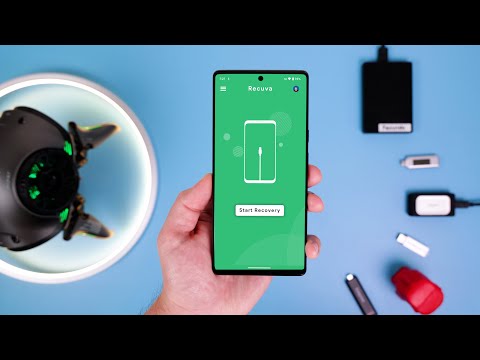
If you've accidently deleted files (photos, videos, pdfs, etc.), no problem. You could easily recover the deleted files using Recuva. Recuva is 100% free with no limitations. However, there are some tricks to learn before using it. Watch this video to learn how to recover your deleted files using Recuva! NEXT TRY 🔻 📌 Recover Deleted Files using Photorec (100% free with no limitations) - 📌 Recover Deleted Files using PhotoRec with graphical user interface (100% free with no limitations) - 📌 Recover Deleted Files using SanDisk RescuePRO - 📌 Recover Deleted Files using Disk Drill - 📌 How I accidentally RECOVER DELETED FILES Windows - CAUTION! - 📌 All Windows 11 Tutorials - 📢 Please like & subscribe to help others find this video 🙏. If you have any questions, please let me know in the comments below 😊? 🔥 More Windows tutorials below 👇 👉 How to FORCE Windows to use your Dedicated GPU - 👉 How to scan a USB flash for viruses before opening on windows 11 👉 FIX blurry text on monitor (1 setting to improve display quality) - 👉 How to prevent laptop from sleeping when closed Windows 11 - 👉 How to sort files by media created date (actual created date) - 👉 Destination Path Too Long Permanent Solution (group policy)- 👉 Destination Path Too Long - FIX by Enabling Long Paths (registry)- 👉 Destination Path Too Long Fix (moving folder)- 👉 Difference Between Quick Format and Full Format - 👉 How to Install ChatGPT on Windows - 👉 How I accidentally RECOVER DELETED FILES Windows - CAUTION! - 👉 How to Buy & Download a Game from Microsoft Store - 👉 HP Printer Not Connected Windows 11 - FIX - 👉 HOW TO CONVERT HEIC TO JPG WINDOWS - 👉 How To STOP Screenshots from Saving to Windows - 👉 CONVERT AN IMAGE TO TEXT WINDOWS for free - 👉 How To Disable Copilot in Windows 11 - 👉 How to Change the Default App to Open a File in Windows 11 - 👉 How to Remove an Artist from Library Media Player - 👉 HOW TO GET QUICK ACTIONS ON WINDOWS 11 - 👉 HOW TO CLEAR NOTIFICATIONS ON WINDOWS 11 - Recuva is developed by Piriform Software Ltd which is the same company that has developed popular software called CCleaner. MAKES NO SENSE WHY BY DEFAULT IT WANTS TO SCAN YOUR WHOLE COMPUTER!! You can select any folder, drive, etc. to scan for deleted files! 3 different types of states are Unrecoverable, poor or excellent. Click anywhere in the row of any file to select it. IMPORTANT: So, "unrecoverable" doesn't necessary mean it can't be recovered. WARNING: Don't select a folder inside the drive/device that you're trying to recover deleted files! For example, don't select this USB flash drive. iPhone video formats (.mov) makes it very difficult to recover deleted format. Running the scan again by "enabling deep scan" took longer to scan but gave the same result. Downloading, installing & running the scan again using the Recuva latest version directly from CCleaner, also gave no better results! Backup copy & Recovered, both files got the exact same file size, but the recovered video can't be played! To download the latest version of Recuva - #BhupinderTube #windows #tutorial
- 51310Просмотров
- 10 месяцев назадОпубликованоPractical Tech Fixes
Recover Deleted Files using Recuva (100% free with no limitations)
Похожее видео
Популярное
Новини