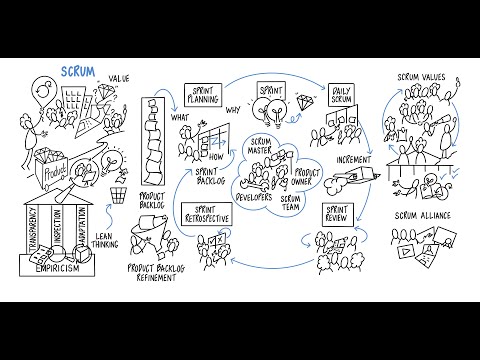
Complete End-to-End Demo of a Scrum Project 00:00 Intro 01:12 Overview of a Scrum Project (Theory) 06:22 Create a Scrum Project 08:47 Create a Backlog 12:33 Create a Sprint 16:41 Start the Sprint 19:06 Complete the Sprint and Review 22:11 Reports Can watch at speed QUIZ - - Let me know your score in comments Complete Jira Playlist - All Step by Step Tutorials 🟢 Project Setup Step 1 - Create or open your Scrum project Step 2 - Check the project board Backlog Creation Step 3 - On the left sidebar click on Backlog Step 4 - Create Issue to cover requirements (stories, bugs, tasks) to the backlog Can do this from Timeline too Sprint Planning Step 4 - Click Create Sprint. A new, empty sprint will appear at the top of your backlog Step 5 - Drag and drop issues from the Backlog to the sprint Step 6 - Assign Story Points Helps you understand the effort or complexity of each task Tip: Prioritize the tasks by placing the most important or highest-value items at the top of the sprint Start Sprint Step 7 - Review and Start Sprint Step 8 - Select the desired sprint length and enter a clear Sprint Goal outcome of the sprint “Deliver login functionality” Execution Step 9 - Go to project board see tasks across columns (e.g., To Do, In Progress, Done) Step 10 - Daily Standups, using Active Sprint board to discuss progress, any blockers, and next steps Completion & Review Step 11 - At the end of Sprint go to the Sprint Report in Jira to review Step 12 - Conduct a Sprint Review meeting where the team demonstrates the completed items to stakeholders Step 13 - Collect feedback, if necessary, add new items or adjustments to Product Backlog based on inputs Sprint Retrospective Step 14 - Hold a retrospective meeting discuss what went well and what could be improved Step 15 - Can document in Jira or Confluence. Create retrospective action items as new issues in Product Backlog Repeat this process for all Sprints When all sprints completed, Close Project #Jira #Scrum #Agile #SprintPlanning #BacklogRefinement #Kanban ▬▬▬▬▬▬▬ Share with all who may need this If my work has helped you, consider helping any animal near you, in any way you can Never Stop Learning Raghav Pal ▬▬
- 16420Просмотров
- 11 месяцев назадОпубликованоAutomation Step by Step
Jira for Scrum: Sprint Planning & Backlog Management (Full Demo)
Похожее видео








Популярное
Новини