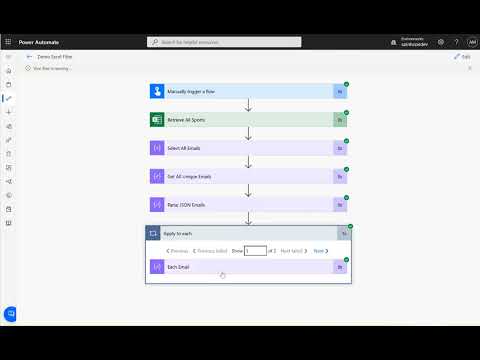
Ever wondered how to send a table from your Excel to all your colleagues? Let's Learn Together With My Free Community Power Automate: Let's get in touch: Github: LinkedIn: CSS Code - don't forget to add style tags :) table { border: 1px solid #1C6EA4; background-color: #eeeeee; width: 100%; text-align: center; /* Center align all text */ border-collapse: collapse; } table td, table th { border: 1px solid #AAAAAA; padding: 3px 2px; text-align: center; /* Ensure cells and headers are centered */ } table tbody td { font-size: 13px; } table thead { background: #0297e1; border-bottom: 2px solid #444444; } table thead th { font-size: 15px; font-weight: bold; color: #FFFFFF; border-left: 2px solid #D0E4F5; } table thead th:first-child { border-left: none; } ⏳Timestamps ⏳ 0:00 - Excel Setup 0:50 - Flow - Get Data 02:11 - Flow - Select Fields 04:37 - Flow - Create Table 05:59 - Flow - Send Email Hashtags #powerautomate #automation #email #table
- 7043Просмотров
- 9 месяцев назадОпубликованоArtem Data
Send Excel Table via Email with Power Automate 2025
Похожее видео









Популярное
Новини