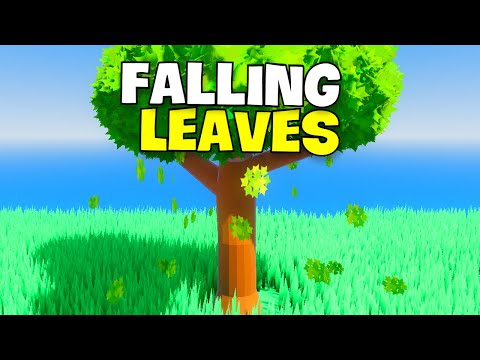
🎮 *Hello U2bers!* 👋 In this video, I'll show you how to create *realistic falling leaves* in Godot 4! 🍂🌿 Learn how to use the *Particles* node to make falling leaves that bring your environment to life! I’ll walk you through every parameter and setting to tweak for the perfect effect, including how to adjust the speed, gravity, and randomness for natural leaf movement. 🚀 *What’s Covered?* In this tutorial, we’ll cover: - *Creating the falling leaves effect using Particles node* - Step-by-step guide on how to *tweak particle parameters* for realism - *Adjusting settings for speed, gravity, and randomness* to create lifelike movement - *Making the scene dynamic* with falling leaves, adding depth and atmosphere 🔥 If you enjoyed the video, make sure to: *LIKE, COMMENT, and SUBSCRIBE* for more exciting tutorials! 🔗 *Project Files:* 📲 *Follow Me:* Discord: Instagram: GitHub: ⏱ *Timeline:* 0:00 ➡ *Intro* 0:39 ➡ *Creating Particles for Falling Leaves Effect* 6:36 ➡ *Outro* 🎵 *Music:* –––––––––––––––––––––––––––––– *Ocean Melody* by Spiring 🎶 Creative Commons — Attribution 3.0 Unported (CC BY 3.0) 🎧 Free Download / Stream: Promoted by Audio Library: –––––––––––––––––––––––––––––– ✨ Add *realistic falling leaves* to your scene with Godot 4’s powerful *Particles node*! Make your environment feel more immersive by simulating the natural beauty of autumn. #Godot4 #GameDevelopment #FallingLeaves #ParticleSystem #IndieDev #EnvironmentDesign
- 1874Просмотров
- 1 год назадОпубликованоGW TUTS
How to create realistic falling leaves in godot
Похожее видео



Популярное
Новини