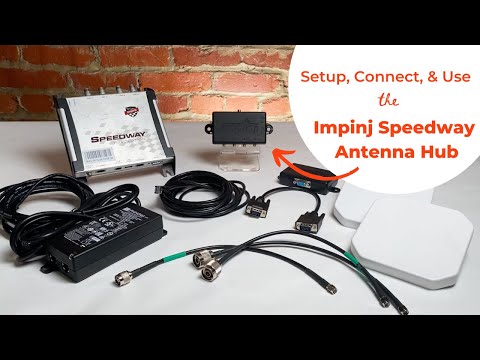
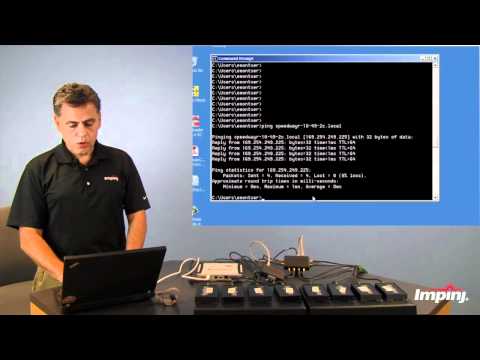
• 0:00 - Introduce the Impinj Speedway Antenna Hub • 0:43 - Walk through the items needed for the Tutorial • 1:14 - Highlight Possible Connections using the Antenna Hub • 1:48 - Setting up the Hardware (Cable Connections) • 2:17 - Impinj's Web UI + Checking the RFID Reader's Software Version • 2:46 - Enabling the Antenna Hub in the Web UI • 3:23 - Read RFID Tags via Impinj's ItemTest Software The Impinj R700 Antenna Hub can be used to enable the Impinj R700 to connect to up to 32 RFID Antennas. It basically turns one RFID Reader Antenna Port into 8 RFID Antenna Ports. Setting up the Impinj R700 Antenna Hub is not difficult, and it can increase your RFID Reader's read zones from 4 to a maximum of 32 covered read areas. This is much more cost effective than purchasing 8 individual RFID readers, each connected to 4 RFID Antennas. To see how Antenna Hubs work and the actual monetary benefit of using an Antenna Hub - also called a Multiplexer, checkout this article on our blog, RFID Insider - the link is below! In this tutorial, we will use the following RFID products: • Impinj R700 • Impinj R700 Antenna Hub • 2 Vulcan RFID S9025PL RFID Antennas • 1 RP-TNC Male to SMA Male Cable (Connecting the Reader to the Antenna Hub) • 2 N-Type Male to SMA Male Cables (Connecting the RFID Antennas to the Antenna Hub) To get started using Impinj's ItemTest, checkout the video below - To read this tutorial, click on the link below to jump to our article! Sign Up for our Newsletter for New Articles, Videos, and eBooks - as well as coupons and promotions! For more information on RFID and how it is being used all over the world, please check out our other resources (listed below) and contact us for more information. RFID Insider Blog: RFID Resources: Contact Us:
- 5636Просмотров
- 3 года назадОпубликованоatlasRFIDstore
Impinj R700 Antenna Hub | Setting Up, Connecting, and Using the Impinj R700 RFID Antenna Hub
Похожее видео





Популярное
Новини