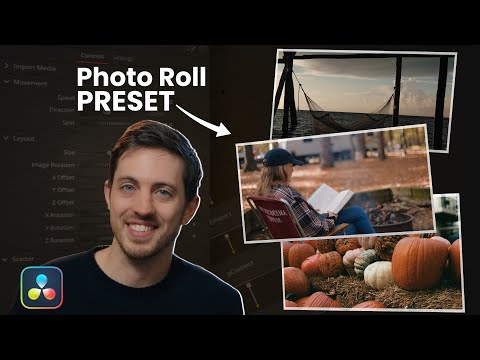
Hey everyone! 👋 Welcome back to SamResolve! In this video, I’ll show you how to make a beautiful photo slideshow in just 10 easy steps using DaVinci Resolve 20. Whether your photos are from Canon, iPhone, GH6, or Olympus RAW files, I’ll cover how to import, sort, arrange, and add music, effects, and transitions for a professional slideshow. 📌 What You’ll Learn in This Video: ✔️ How to import RAW/JPEG photos into DaVinci Resolve 20 ✔️ Olympus RAW (ORF/ARRF) import limitations + practical workarounds ✔️ Organizing and sorting photos inside bins for easy editing ✔️ Adding background music and syncing slides to the beat ✔️ Using Source Tape for fast photo selection ✔️ Speed ramping video intros to transition smoothly into slideshow ✔️ Matching photo duration with music beats using Trim Edit Mode ✔️ Adding a textured/static background for your slideshow ✔️ Creative transitions (film burns, fade-outs, zooms) ✔️ Bonus effects: Video Collage, drop shadows, and stylish borders 🎬 Whether you’re building a slideshow for a client, a personal project, or just experimenting with DaVinci Resolve, these 10 simple steps will help you go from photos to a polished video—complete with music, transitions, and effects. Chapters: 0:00 - Intro & Shoutout 0:28 - Importing RAW Photos 1:33 - Workarounds for Unsupported RAW Formats 2:22 - Step 1 5:07 - Step 2 5:57 - Step 3 6:27 - Step 4 9:00 - Step 5 9:30 - Step 6 10:25 - Step 7 11:02 - Step 8 11:15 - Step 9 12:35 - Step 10 16:42 - Outro If this tutorial helped you out, please give it a thumbs up 👍, subscribe, and hit the bell 🔔 for more DaVinci Resolve tutorials every week! Got a slideshow idea or plugin you want me to test? Drop it in the comments—I reply to everyone! 👇 Tags: #DaVinciResolve20 #PhotoSlideshow #ResolveTutorial #SamResolve #GH6Footage #OlympusRAW #CanonRAW #iPhoneRAW #VideoEditingHelp #DaVinciResolveTips #ResolveSlideshow #FilmmakingWorkflow #PostProductionTips #CinematicEdits #VideoCollageEffect #PhotoVideo
- 1918Просмотров
- 3 месяца назадОпубликованоSamResolve
10 Easy Steps to Create a Photo Slideshow in DaVinci Resolve 20
Похожее видео






Популярное
Новини