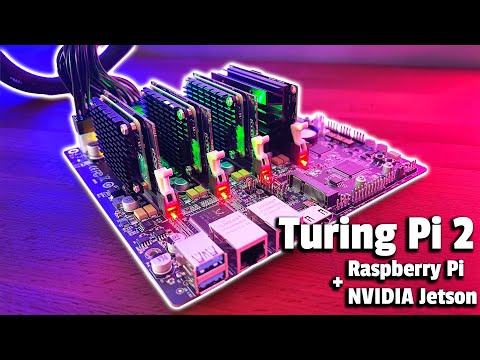
In this exciting build, we're going to be assembling a Raspberry Pi cluster running Kubernetes K3S on the new Turing Pi 2. The Turing Pi 2 is the successor to the popular Turing Pi but now runs the newer Raspberry Pi Compute Module 4 and comes with a host of new features and interfaces. A big thanks to Turing Machines Inc for sending me this beta board to try out and share with you. ADDITIONAL INFORMATION --------------------------------------------------- Visit my blog for the written build - Official Turing Pi 2 Product Page - PURCHASE LINKS --------------------------------------------------- Turing Pi 2 - 4 x Raspberry Pi CM4 Modules - 4 x Waveshare CM4 Heatsinks - or 4 x NVIDIA Jetson Nano Modules - Sandisk MicroSD Cards (For Nodes without eMMC Storage) - PicoPSU ATX Power Supply - 3 x 40mm 5V RGB Fans - Power Button - M3 Brass Insert Set - M3 Nylon Standoff Set - M3 Button Head Screw Set - 6mm Clear Acrylic - 3mm Clear Acrylic - Equipment Used: TS100 Soldering Iron - K40 Laser Cutter/Engraver - Electric Screwdriver Set - Some of the above parts are affiliate links. By purchasing products through the above links, you’ll be supporting this channel, at no additional cost to you. CHAPTERS --------------------------------------------------- 0:00 Intro 0:33 First Look At The Turing Pi 2 1:34 Preparing The CM4 Modules 4:13 Power 4:40 Designing & Laser Cutting The Case 6:48 Assembling The Case 8:47 First Boot 11:48 Installing Kubernetes 13:06 Final Thoughts If you've got any ideas for Raspberry Pi, Arduino, or other Electronics projects or tutorials you'd like to see, let me know in the comments section.
- 91219Просмотров
- 3 года назадОпубликованоMichael Klements
Raspberry Pi CM4 Cluster Running Kubernetes - Turing Pi 2
Похожее видео




Популярное
Новини