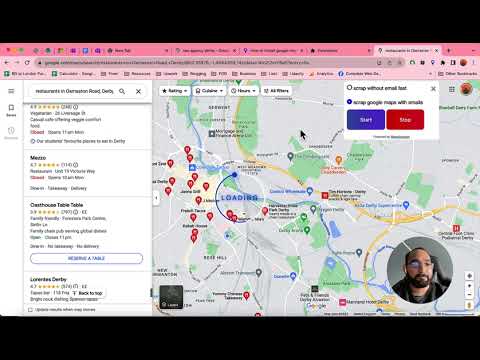
🚀 How to Extract Business Data from Google Maps in 2025! 🚀 Want to scrape Google Maps data, including phone numbers, ratings, and websites? In this tutorial, I’ll show you how to extract up to 120 business listings using Octoparse, along with the best techniques to avoid blocks and improve accuracy. 🔹 What You’ll Learn: ✅ How Google Maps limits scraping to 120 results ✅ Setting up scroll automation to load all businesses ✅ Using XPath formulas to extract data fields (title, rating, phone number, etc.) ✅ How to structure your task for efficient & error-free scraping ✅ How to extract data at scale, including emails 📌 Resources Mentioned: 🔗 Get your first 100 B2B leads for free: 🛠 Download Octoparse: (20% discount with code REP20) 📩 Need custom web scraping? Contact me: fdufaurboidin@ 🖥 XPaths Used in This Video: 🔹 Scroll Area: //div[@role="feed"] 🔹 Loop Item (Business URL): //a[contains(@href, "/maps/place")] 🔹 Title: //h1 🔹 Rating: //span[contains(@aria-label, "star")][preceding-sibling::span[1]] 🔹 Reviews Count: //span[contains(@aria-label, "review") and starts-with(text(), "(")] 🔹 Website URL: (//a[@data-tooltip="Open website"])[1] 🔹 Phone Number: (//button[@data-tooltip="Copy phone number"])[1] ⏳ Timestamps: 00:00 Introduction – Scraping Google Maps in 2025 00:17 Understanding Google Maps' 120-results limit 00:41 Setting Up the Scroll Automation in Octoparse 02:05 Extracting Business URLs for Batch Processing 03:38 Configuring XPath for Data Extraction (Title, Rating, Reviews) 06:12 Handling Phone Numbers & Cleaning Data 07:45 Running & Exporting the Scraped Data 09:30 Common Issues & How to Fix Them 10:55 Scaling Up – How to Extract More Data Beyond 120 Results 👍 Like & Subscribe if this helped you! Have questions about Google Maps scraping? Drop them in the comments! #WebScraping #Octoparse #GoogleMaps #DataExtraction #Automation
- 20748Просмотров
- 10 месяцев назадОпубликованоWeb Scraping with Franek
Scrape Data from Google Maps (in 2025) | Octoparse Tutorial
Похожее видео






Популярное
Новини