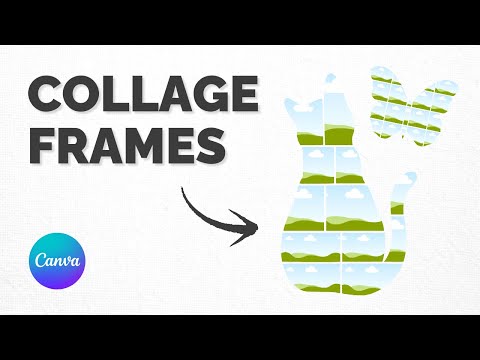
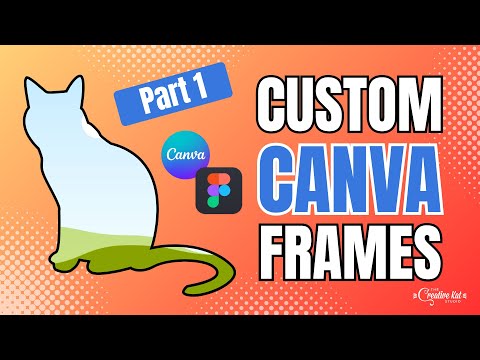
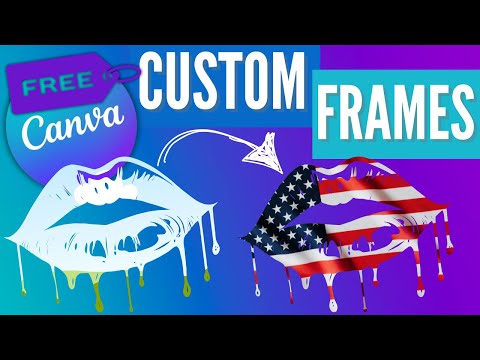
Ready to turn heads with your next Canva design? In this tutorial, I’ll show you exactly how to create a stunning custom-shaped photo collage — just like the silhouette example you see in the thumbnail. Whether you’re a content creator, product seller, or just obsessed with all things Canva, this is one design trick you’re going to want in your creative toolbox. We’re not just talking about dragging photos into a grid here. I’m showing you how to create fully customized frame collages inside any shape — from faces and animals to logos, product outlines, or brand icons. The best part? You don’t need fancy software or a design degree. All you need is Canva, Picsvg, and Figma — and yes, they’re totally free to use. If you’ve ever seen a silhouette filled with photos and thought, “How did they do that in Canva?”, this video answers that exact question. 💻 IN THIS TUTORIAL, YOU’LL LEARN: • How to create a custom SVG shape using Picsvg (and which settings work best) • How to prep and refine that SVG in Figma (without needing to be a Figma pro) • How to upload your shape into Canva and turn it into a custom frame • How to build a cohesive, multi-photo collage inside that shape like a pro 🧠 WHY THIS IS A GAME-CHANGER FOR CANVA USERS: ✔ It lets you move beyond basic frames and grids ✔ You can create personalized gifts, content collages, and promo graphics ✔ It works beautifully for niches like skincare, fashion, pets, or even product mockups ✔ And honestly… it’s just really fun to make If you’re designing for Instagram, Pinterest, email graphics, or your Shopify store, this technique adds that WOW factor that sets your content apart from everyone using cookie-cutter templates. 🛠 TOOLS I USED: • Canva (any version works, but Pro gives you more freedom) • Picsvg – the free site where we convert an image into SVG • Figma – a free vector editing tool (don’t worry, I walk you through it!) 🎁 LOVE FREEBIES? Download free Canva templates, color guides, and more to boost your creativity! 👉 Grab Freebies Now! 💌 WANT EXCLUSIVE UPDATES? Be the first to know about new videos, trainings, freebies, and workshops! 👉 Subscribe to My Weekly Emails: 🤯 CAN’T FIND ANYTHING IN YOUR CANVA ACCOUNT? Transform chaos into creativity with my mini-course: From Mess to Success—Organizing Your Canva Life! 👉 Get the Course: 🛍️ SHOP FOR CREATIVE GOODIES! Browse Canva templates, custom Canva frames, and fun swag to make your projects pop. 👉 Start Shopping: 📱 LET’S CONNECT ON SOCIAL MEDIA! Instagram: TikTok: @thecreativekatstudio Facebook: 👩🏻 ABOUT ME: Hey there, I’m Kat — Canva Coach, Creative Instructor, and founder of The Creative Kat Studio. I help small business owners, direct sellers, and content creators feel more confident using Canva to grow their brands (and have fun doing it!). My goal is to make Canva feel easy, inspiring, and maybe even a little addicting. If you love creative content, quick wins, and templates that actually work — hit that subscribe button and stick around! 💖 Thanks for your support—every click fuels my creativity! Kat 🐾 ⚠️ Some links are affiliate links, meaning I may earn a small commission at no extra cost to you. This supports my coffee and gummy bear addiction so I can keep creating awesome content! 😹 #Canva #CanvaTutorial #CanvaTips #Canvasaador #TheCreativeKatStudio #CanvaKaturday
- 9044Просмотров
- 4 месяца назадОпубликованоThe Creative Kat Studio
How to Make a Custom Frame Photo Collage in Canva (Using Free Tools!)
Похожее видео



Популярное
Новини