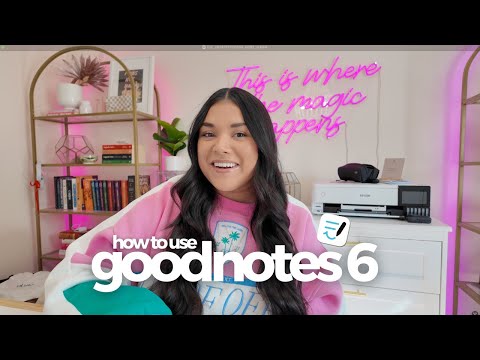
📲 New to digital planning? Don’t worry, I’ve got you covered! In this beginner-friendly tutorial, I’ll walk you through everything you need to know to start using a digital planner in Goodnotes 6. ✨ What you’ll learn: ✔️ How digital planning works ✔️ Navigating your digital planner ✔️ Writing, highlighting, resizing, and adding text & images ✔️ The most useful Goodnotes features for planning I’ll keep it super simple so you can start planning with confidence—no overwhelm, just the essentials! ______________________________________________________________ ⏰ Chapters: 0:00 Intro 0:59 Setting up your account 1:22 Creating a new notebook/planner 1:27 How to import a planner into Goodnotes 1:57 Basic navigation 2:30 FAQ: How to click on hyperlinks/tabs 3:03 Goodnotes tools 3:46 Pen tool 5:09 Eraser 5:35 Undo/redo 5:41 Highlighter 6:04 Shape tool - Create shapes 6:34 Lasso tool - Move, copy, paste, delete, resize 7:38 Moving only text/images/writing 7:54 FAQ: Handwriting keeps going behind sticker 8:09 Elements tool - Save writing/images/text for easy access 9:06 Photo tool - How to add images 9:24 FAQ: How to crop photos 9:37 Text tool - Type and create text boxes 10:19 FAQ: How to turn handwriting into typed text 10:33 Zoom tool - Write neater 10:54 How to add pages to planner 11:38 Bookmark pages 11:47 Thumbnail view 12:09 Add pages to outline 12:23 Exporting pages 12:55 Practice makes progress! ______________________________________________________________ Other Helpful Videos to Watch 📹 Plan My Day With Me → 📹 Plan My Week With Me → 📹 Digital Plan with Me for Beginners → 📹 The Best Digital Planner for 2025 | + FREE Digital Planner → ______________________________________________________________ Links ✨ Download our FREE Digital Planner → 🛒 Shop Digital Planners → 🛒 Shop Digital Stickers → 🔔 Subscribe for More → ❓ Need Help? Visit Our Support Page → ______________________________________________________________ Follow Us on Social Media 📸 Instagram → 🎥 TikTok → @thepassionplannerdigital ______________________________________________________________ 🎵 Music Used: 💐 massobeats - Floral→ 🎁 massobeats - Gift → 🍯 massobeats - Honey Jam → 💜 massobeats - Lavender → 🌹 massobeats - Rose Water → 🍠 massobeats - Taro Swirl → #DigitalPlanning #GoodNotesTutorial #GoodNotesBeginner #HowToUseGoodNotes #iPadPlanning
- 31451Просмотров
- 8 месяцев назадОпубликованоPassion Planner Digital
Goodnotes Basics for Digital Planning | Beginner Friendly Tutorial!
Похожее видео




Популярное
Новини