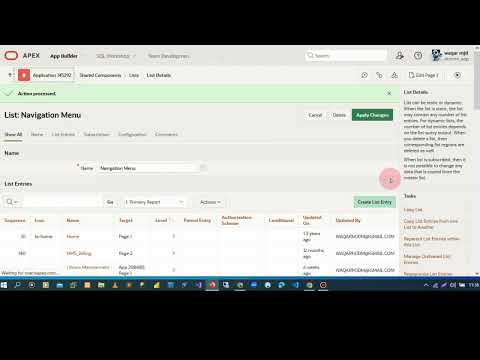
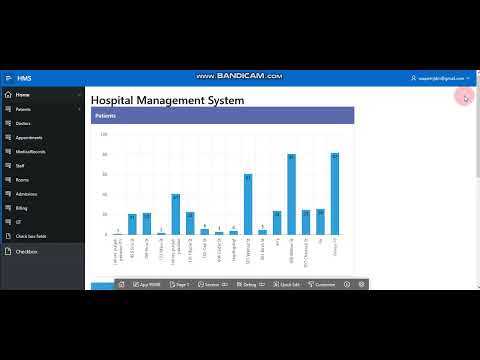
Learn how to add your company or application logo to the navigation bar in Oracle APEX! In this step-by-step tutorial, we customize the default APEX navigation bar using static application files and CSS to give your app a professional look. What you will learn: Uploading logo to Shared Components / Static Files Adding HTML structure for logo Styling logo using CSS Adjusting responsiveness and alignment Best practices for UI branding in APEX Suitable for: Oracle APEX beginners Developers customizing UI/UX Anyone building professional business apps 👉 Don’t forget to Like, Share, and Subscribe for more Oracle APEX tutorials #OracleAPEX #OracleSQL #OracleDatabase #PLSQL #APEX #LowCode #OracleAPEXForms #OracleAPEXReports #OracleAPEXTutorial #SQLTutorial Oracle APEX SQL tutorial for beginners,How to create forms in Oracle APEX,Oracle APEX interactive reports step by step,Oracle APEX dynamic actions explained,Oracle APEX REST API integration tutorial,Oracle APEX validation using PL/SQL,Oracle APEX master-detail form tutorial,Oracle SQL queries explained with examples, Oracle PL/SQL functions and procedures tutorial, Oracle APEX authentication and authorization, Work on HTML CSS,
- 26Просмотров
- 3 недели назадОпубликованоBinaryBazaar (BB)
How to Add a Logo in Navigation Bar | Oracle APEX Tutorial #OracleAPEXForms #OracleAPEXReports
Похожее видео









Популярное
Новини