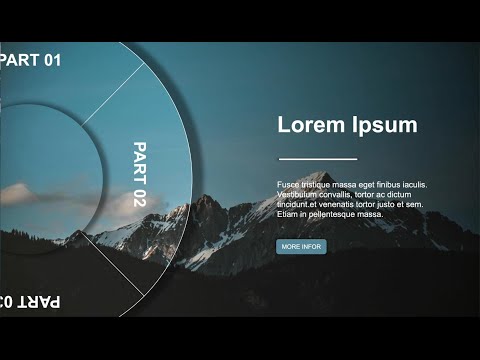
Hey Everyone, for the longest time I've wanted to recreate the Prezi Zoom using Canva, we're not there yet but getting there. I've created this video using Rotate and Match & Move. 😊 Create Presentations with Zoom & Morph effects using Canva's Transitions. This tutorial is created on Canva with the Canva Match & Move transition tool, which is available in free and paid versions on mobile and computer. More animations and transitions are available to Canva Pro, Canva for Teams, Canva for Education, and Canva for Nonprofits users. They’re tagged with an icon from the options. 🚀FREE TEMPLATE: ✅ To access our Canva Course for Creatives on Udemy: - CODE BLACKFRIDAY ✅ Buy my book on Amazon: 🔥 Canva Pro 30-day Free Trial – Worth every penny for all your design needs: Timestamp: 00:00 View Presentation - Intro 00:19 STEP 1 - Add an image 00:45 Set image as background & reduce transparency to 40 00:56 STEP 2 - Create a Wheel with Gaps 01:07 Press C to add a circle 01:17 Change the color of the wheel 01:28 Press C to add another circle, change color to white, and create gaps 01:55 Download the wheel as a transparent background 02:11 Add the download to the design 02:18 Select the image and remove the white shapes added by using the remove background tool (use for free accounts or use my 30-day free trial with the link below) 02:51 Crop out the extra space and size the wheel on the design 03:13 STEP 3 - CREATE AGENDA CIRCLES 03:29 Add Text & Icons on Circles 04:09 Download as a transparent background 04:33 Add & align circles on the design 05:33 STEP 4 - Animate the Agenda Topics 07:04 Add Match & Move transitions on all pages 08:24 Add Agenda Text on all slides 08:55 STEP 5 - Add Zoom Out effect 09:08 Add a page on the presentation for the talking slide 09:55 Add a page for the Zoom out 10:20 Click on Duration to set the duration for each slide 11:12 View the Presentation 11:23 STEP 6 - Add Zoom In effect 11:58 Do the same for all Agenda Points Slides Timing & Transitions: Slide 1 to 4 - 2.5 seconds Slide 5 (Zoom Slide) - 0.7 seconds Transition used on all slides: Match & Move for 0.5 seconds BE PART OF OUR COMMUNITY OF CREATORS & SMALL BUSINESS OWNERS Join +500 email subscribers who receive the latest tips and tutorials directly from me: 🛍 SHOP MY PRODUCTS: 📹 Descript Video Editor – All your video and audio editing needs: 🛠 TOOLS & GEAR I USE: ☕️ BUY ME A COFFEE: MY RECOMMENDED TOOLS: Canva Pro – Worth every penny for all your design needs: Designrr – Ebook and Flipbook maker with dozens of templates: Descript Video Editor – All your video and audio editing needs: Course I took to learn YouTube with Think Media: -------------------------------------------- WEBSITES MENTIONED IN THE VIDEO: Canva: SOCIALS: Facebook: learnwithzar Twitter: learnwithzar Instagram: learnwithzar TikTok: learnwithzar DISCLAIMER: This video is not promoted, however, it contains links. If you click & buy, we may make a commission at no additional charge. As an Amazon Associate, I earn from qualifying purchases. Attribution: Music on video from YouTube Audio Library Videos and images from
- 144459Просмотров
- 2 года назадОпубликованоLearn with Zar
Canva Slide ZOOM & Morph Tutorial - 🔥 Free Template 🔥
Похожее видео









Популярное
Новини